Free Obsidian Vault for novel writing & worldbuilding
The Novelist
A minimal workspace to plan, write, and revise your novel. Perfect for Worldbuilding, includes character & location templates, chapter management, writing goals, and more.
v2.1 · GPL-3.0 License · Works on Windows, macOS & Linux
Features
Everything You Need to Write Your Novel
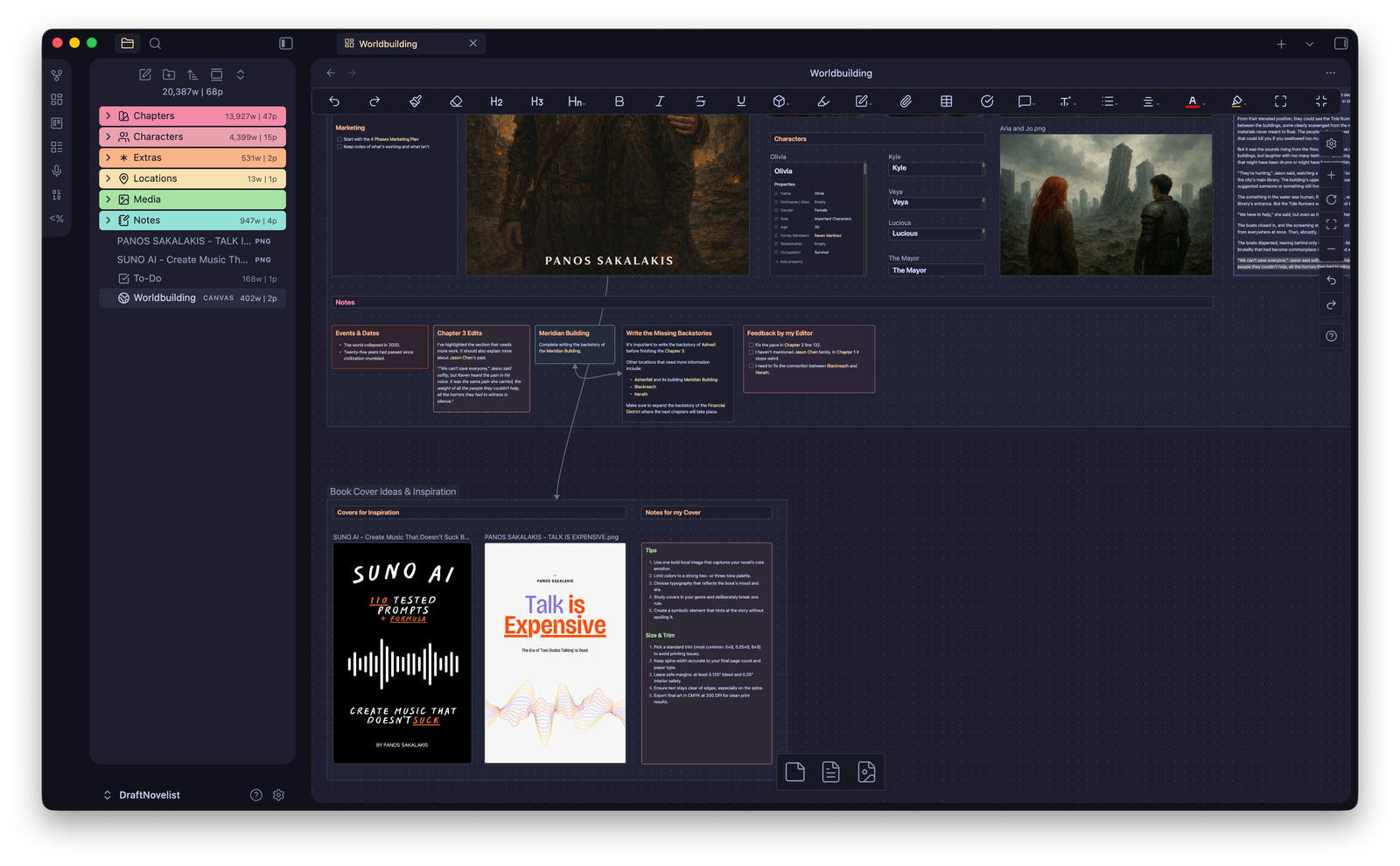
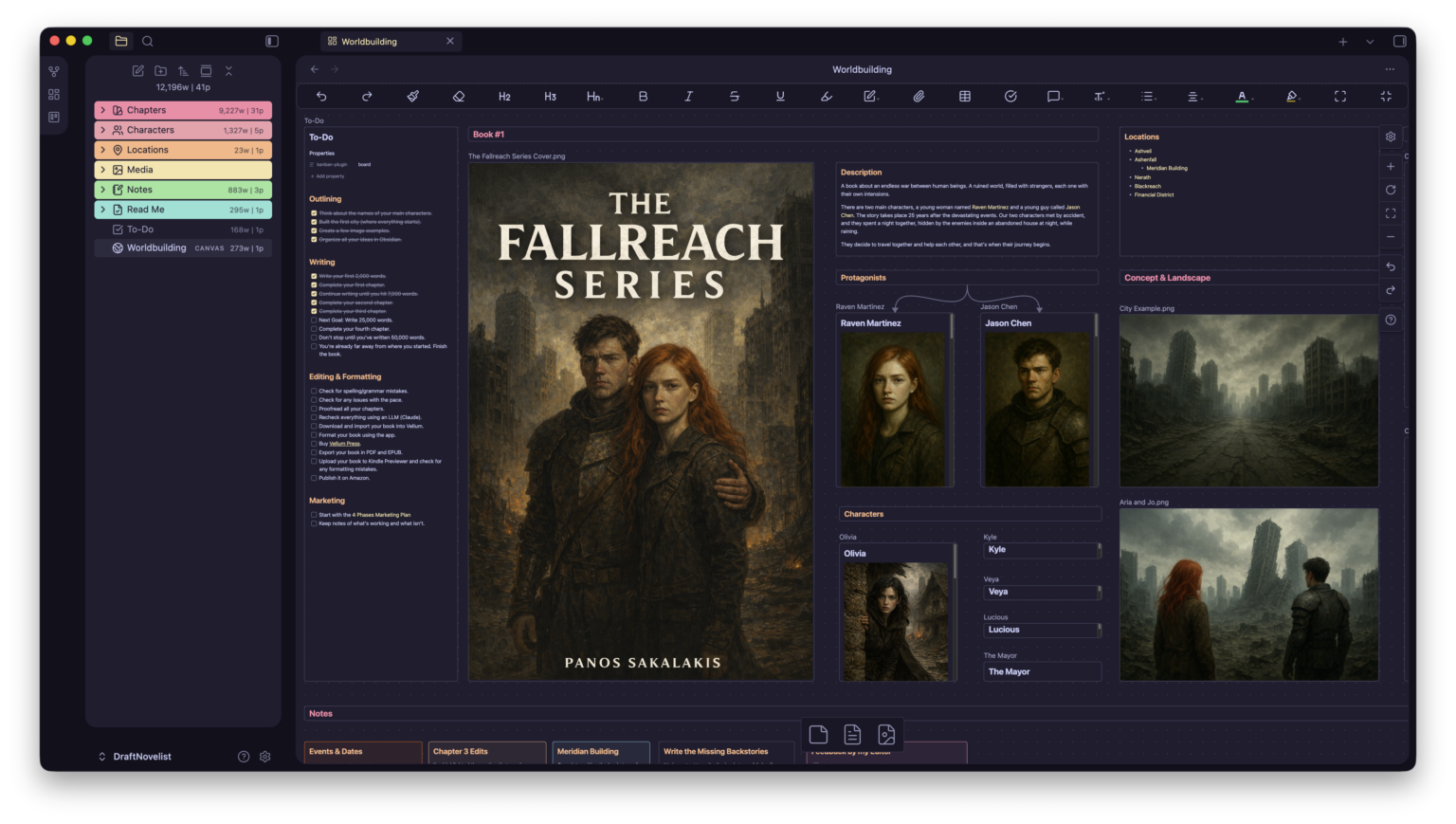
Worldbuilding Canvas
A pre-built Canvas acts as the control center of your novel — characters, locations, chapters, notes, to-do list, and book details all linked together as a visual map.
Chapter Management
Master chapter index, individual chapter files for focused drafting, and a workflow that lets you draft per chapter, then compile into an “All Chapters” file for export.
Pre-Made Templates
Two core templates wired with the Templater plugin for consistent structure. Quickly create new characters and locations that stay organized and searchable.
Graph-Driven Insights
Link Characters ↔ Chapters ↔ Locations and the Graph View becomes a story tool — spot underused characters, see which POVs dominate, and discover missing subplots.
Multitasking Layout
Write a chapter in one pane, keep character sheets open in another, pin locations on the side. Obsidian’s split views let you rearrange for your personal workflow.
Writing Goals
Track writing goals per chapter or project with the Writing Goals plugin. Set word count targets and watch your progress as you write your way through the story.
Screenshots
See It in Action
Dark mode & light mode — choose the look that suits your creative flow.
🌑 Dark Mode
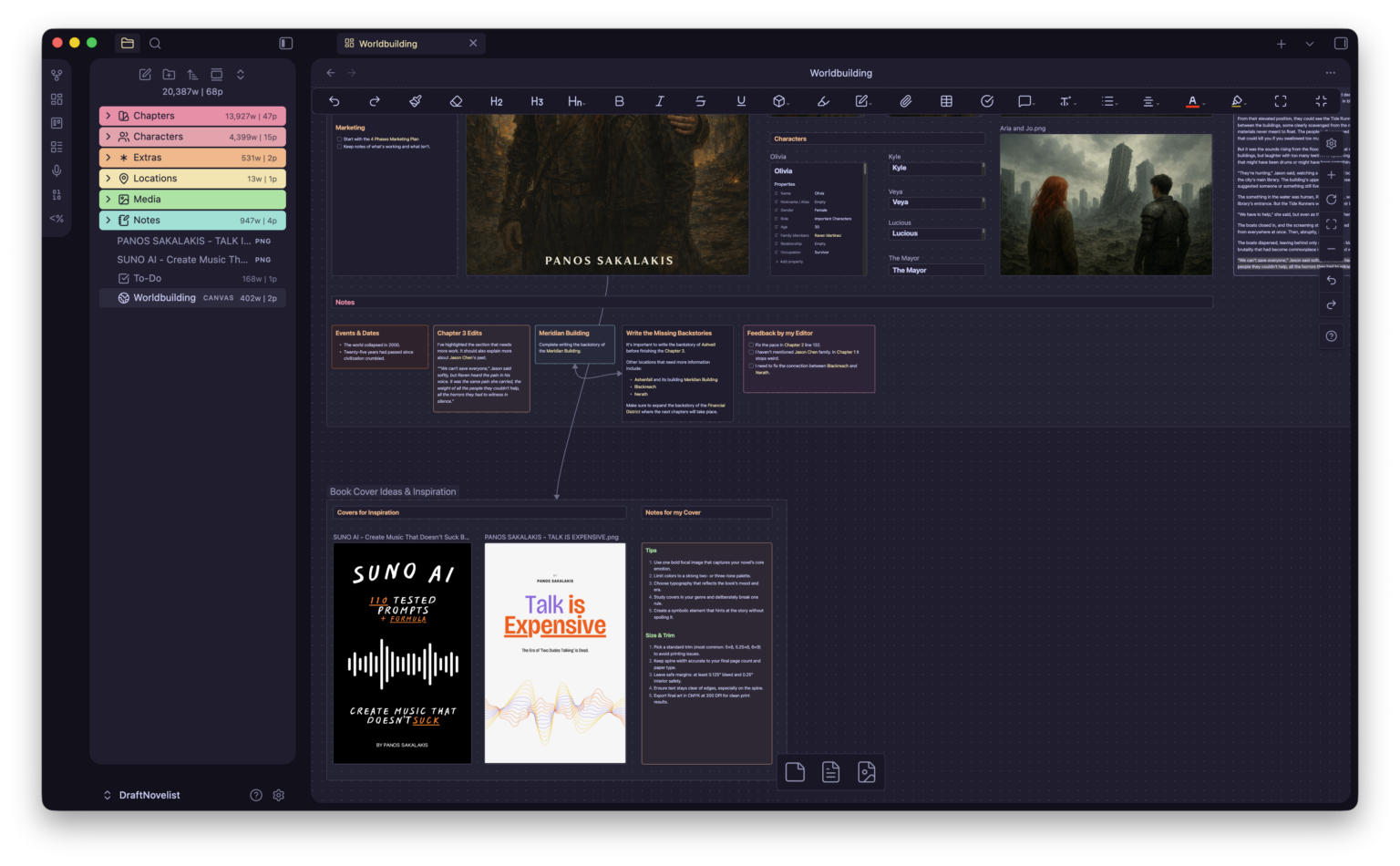 Worldbuilding Canvas
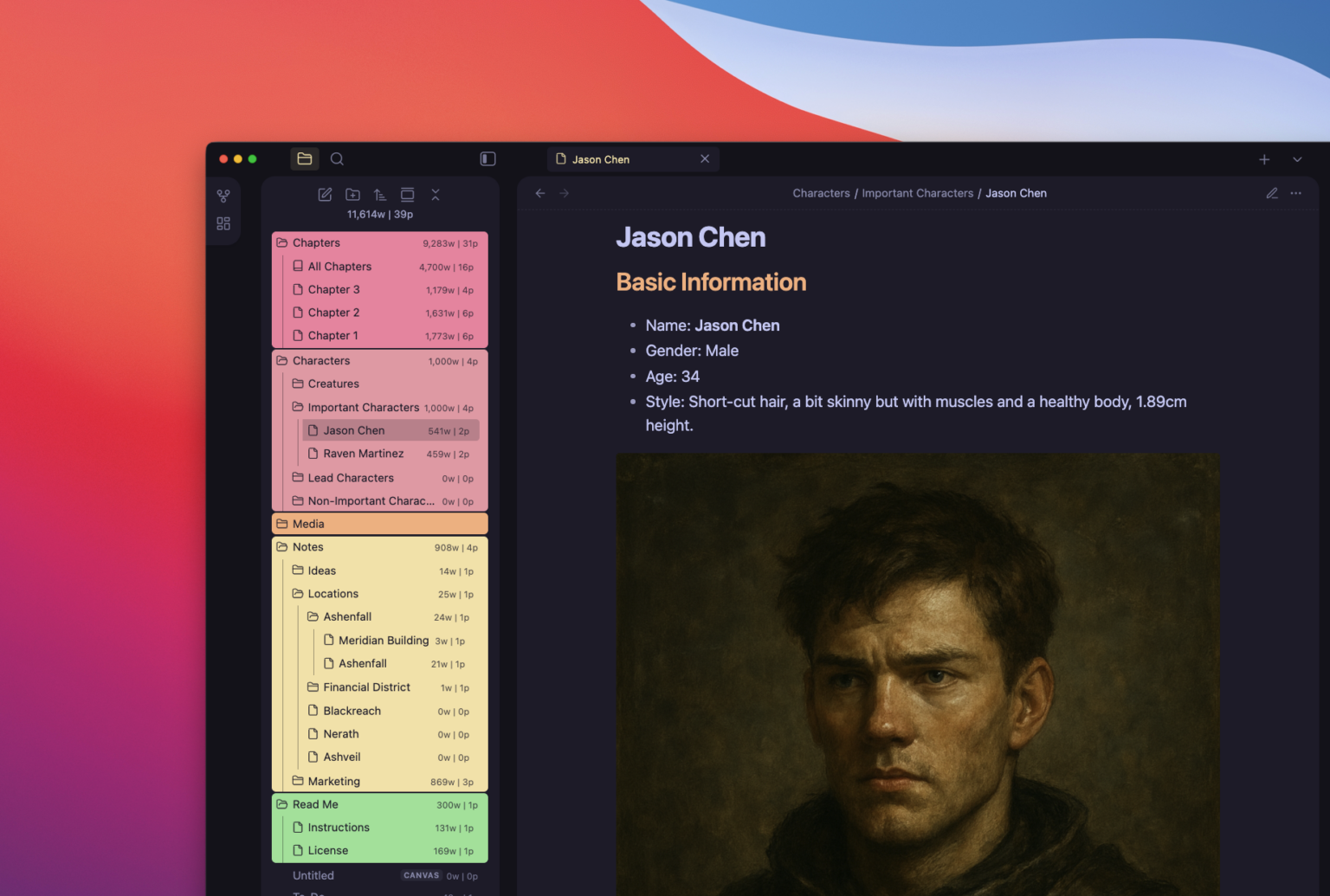 Character Profile
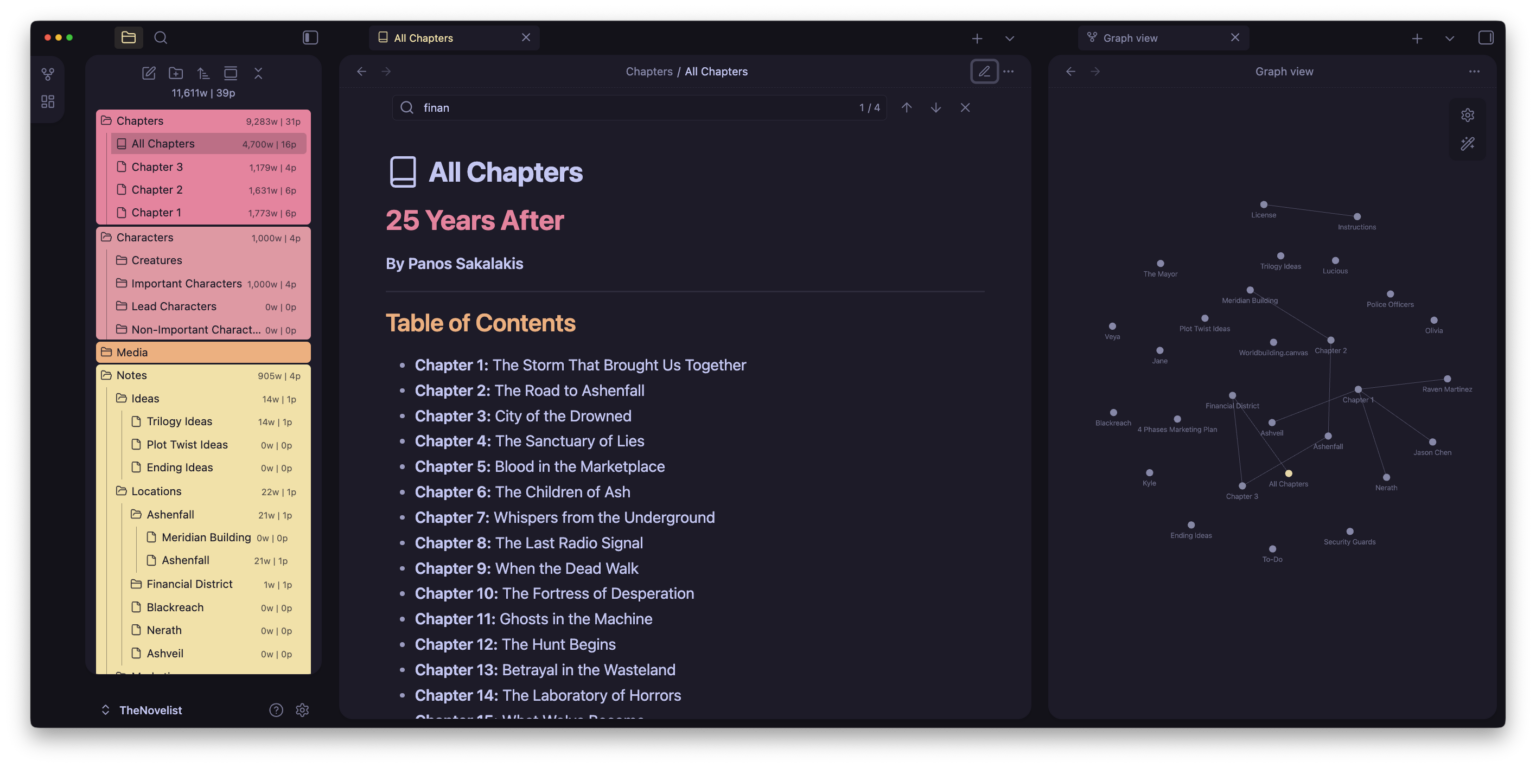 All Chapters & Mindmap
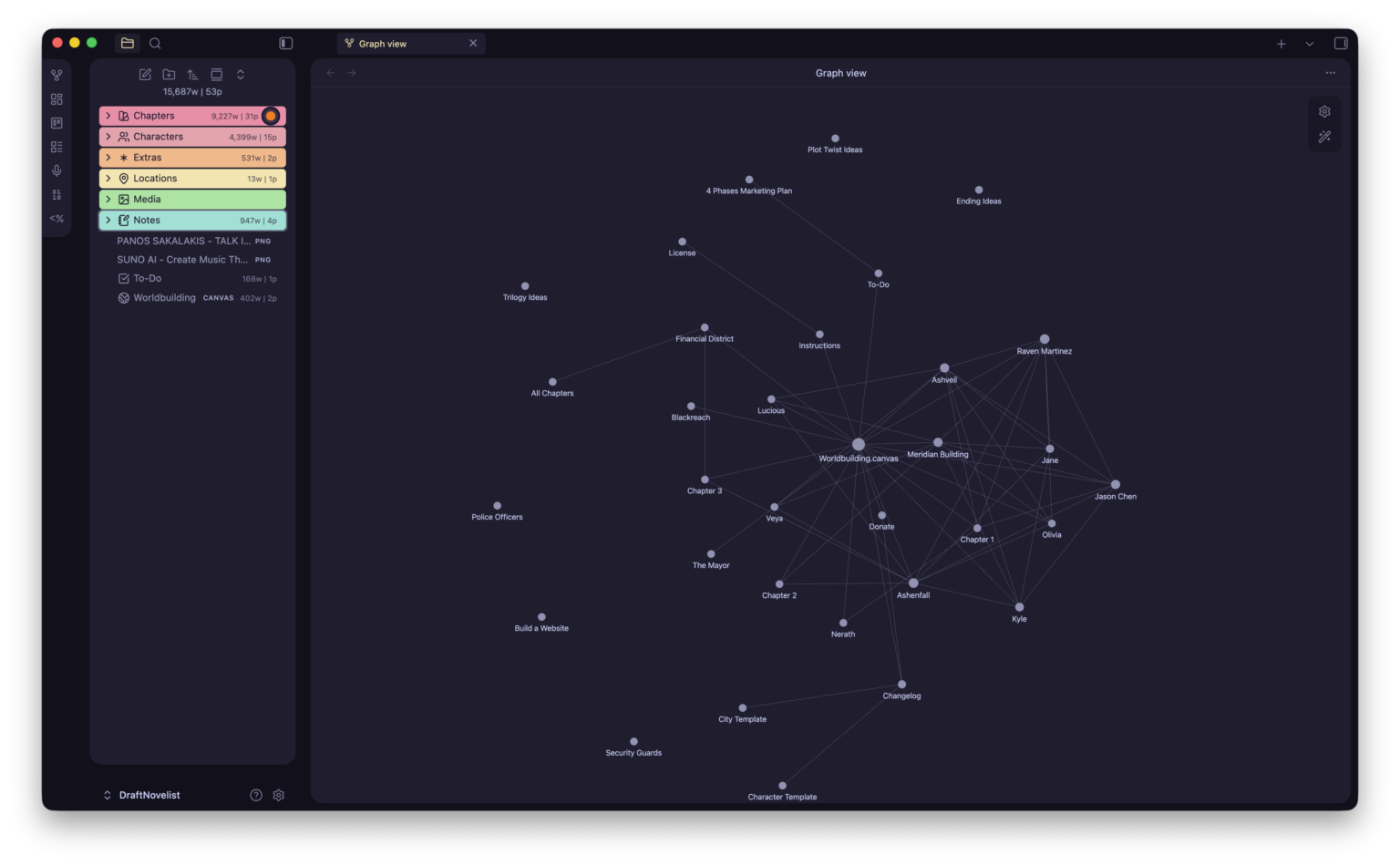 Graph View — Story Insights
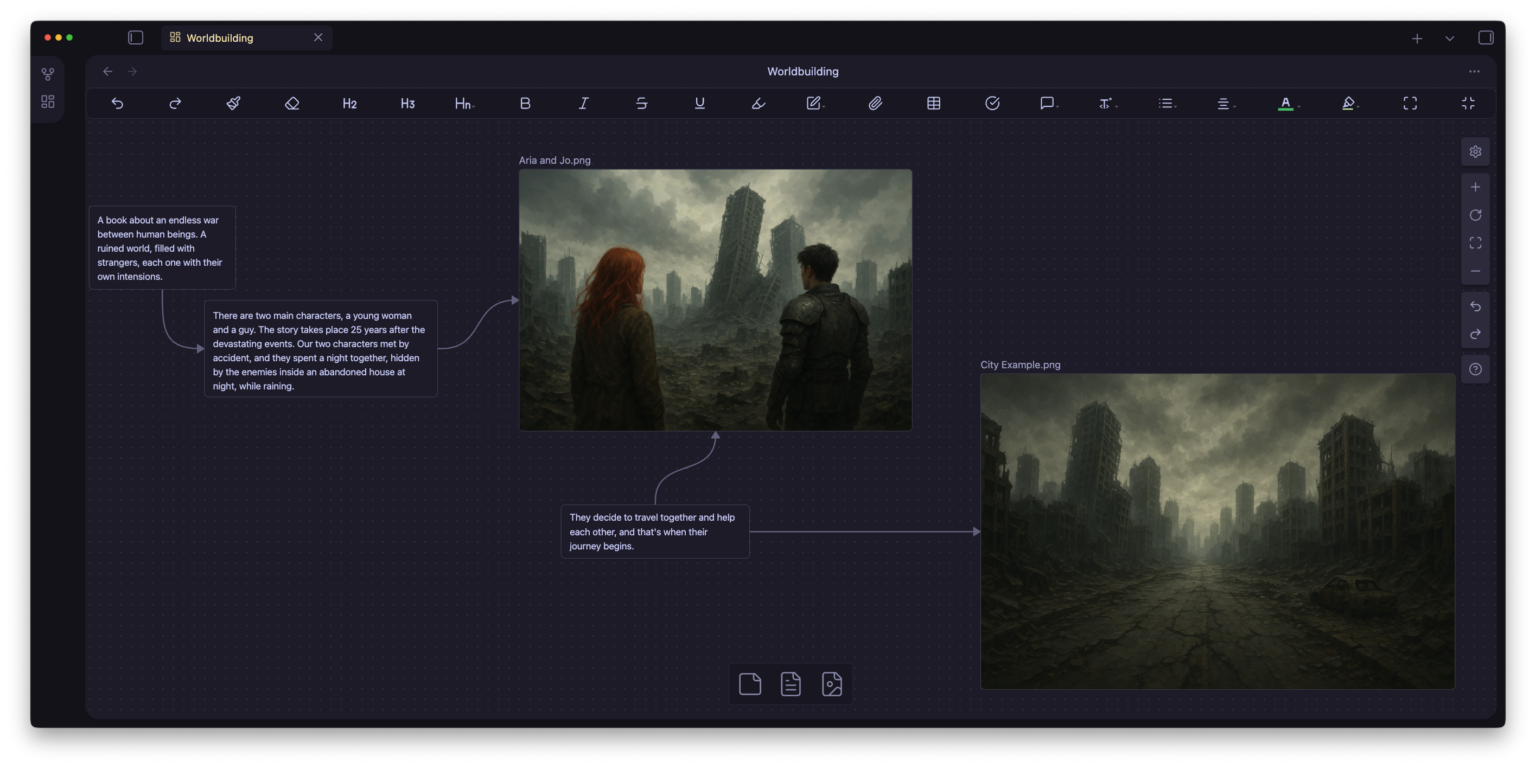 World Building Overview
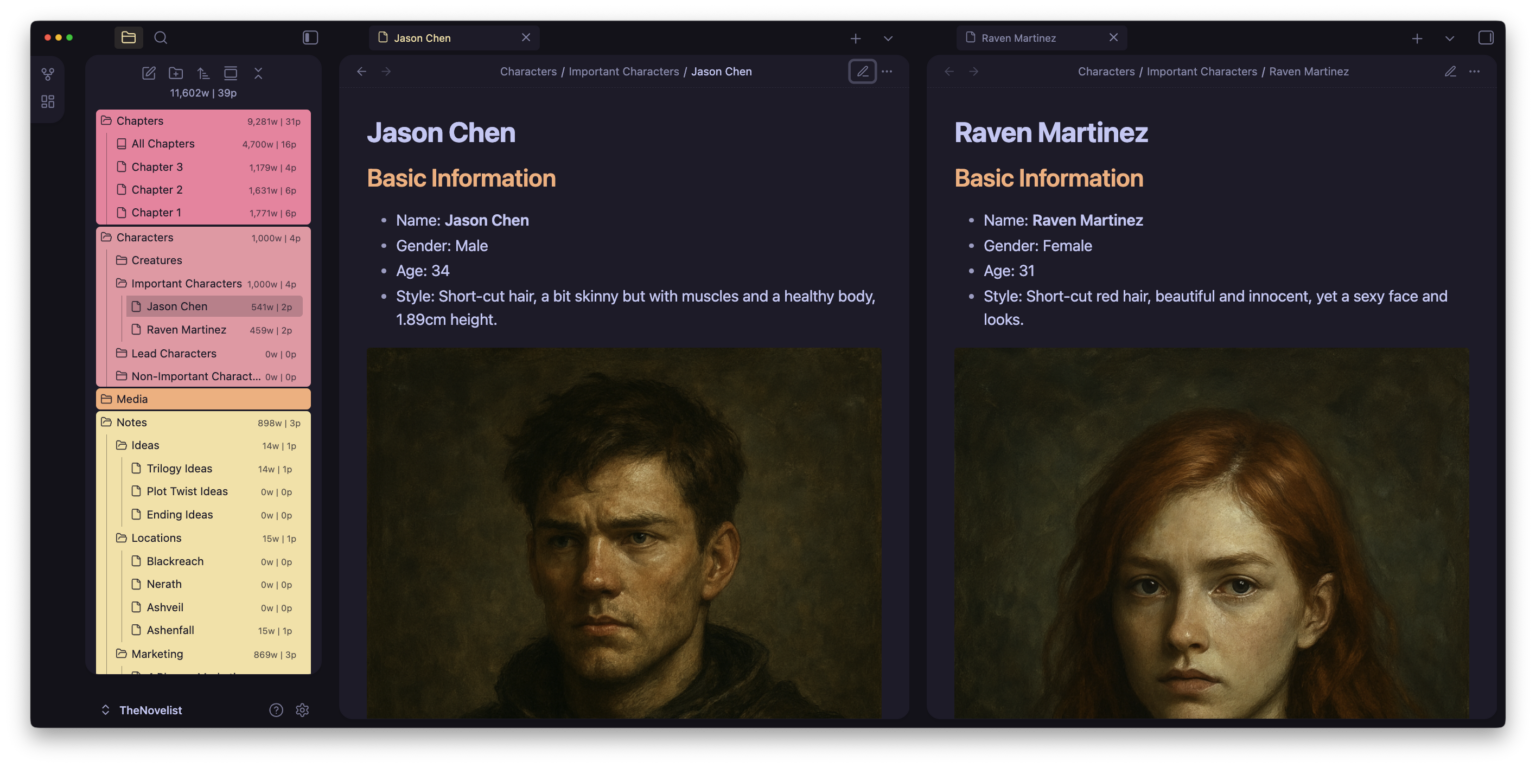 Split Tabs — Characters Side by Side
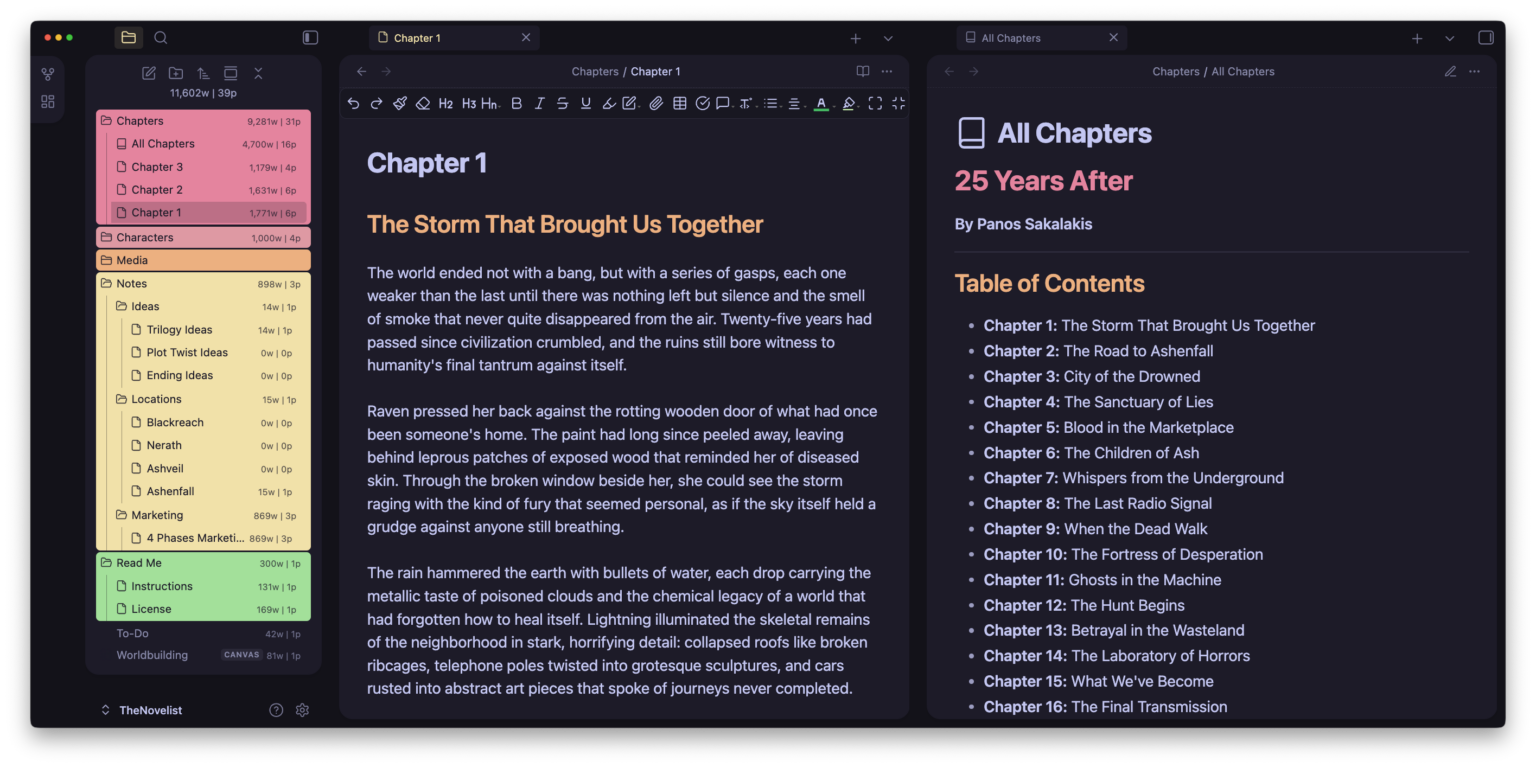 Split Tabs — All Chapters
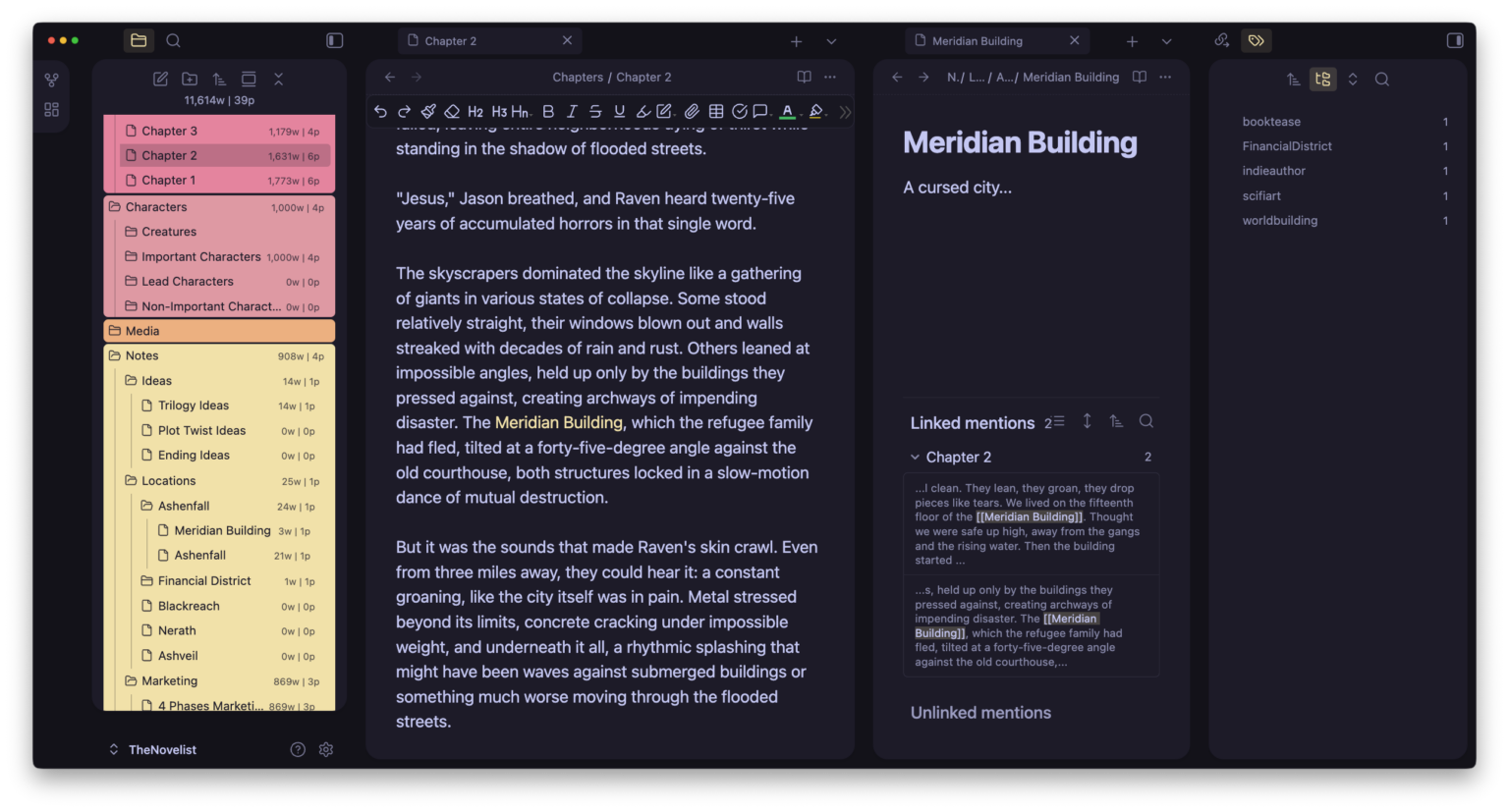 Notes & Mentions
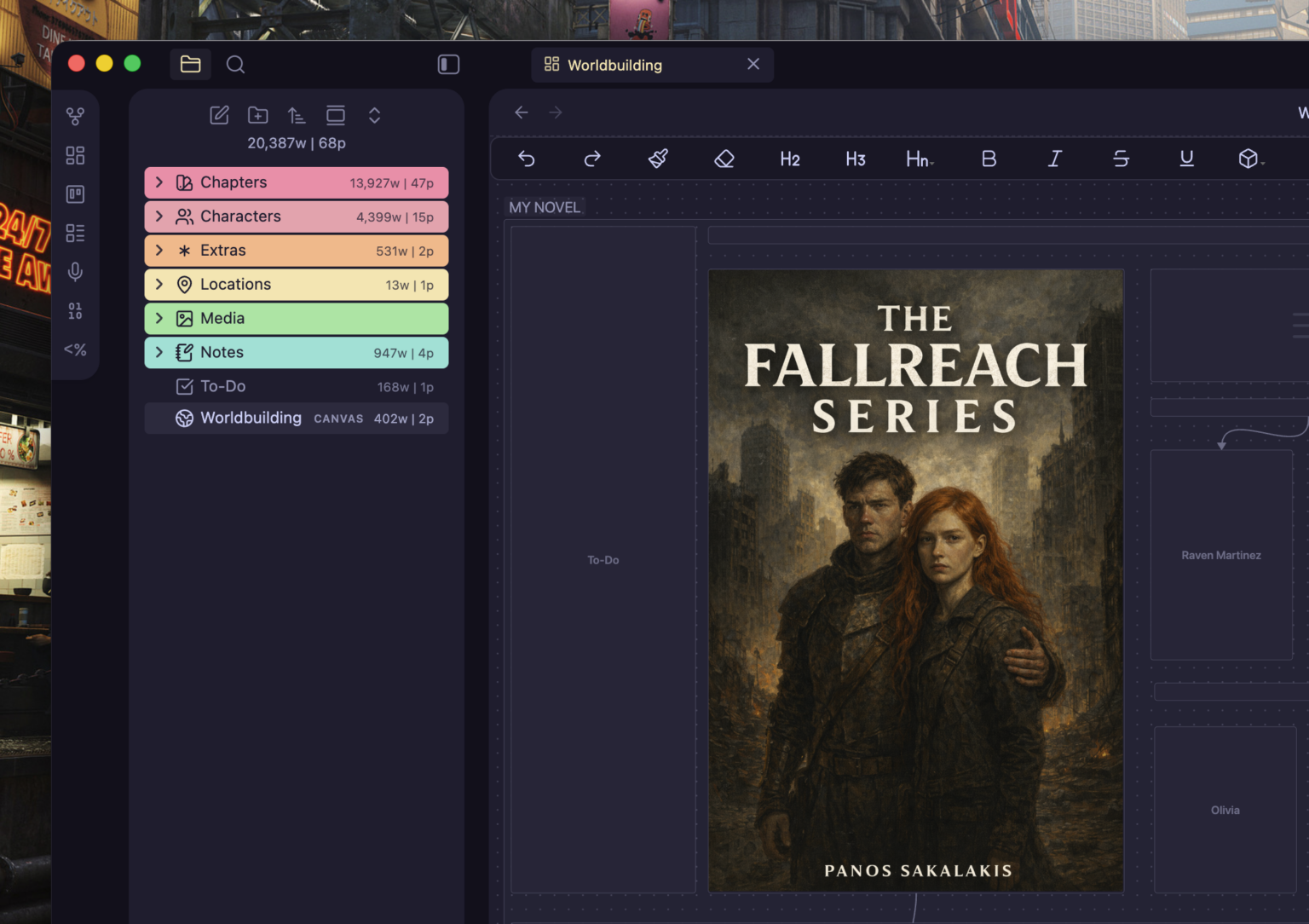 Colorful Folder Structure
☀️ Light Mode
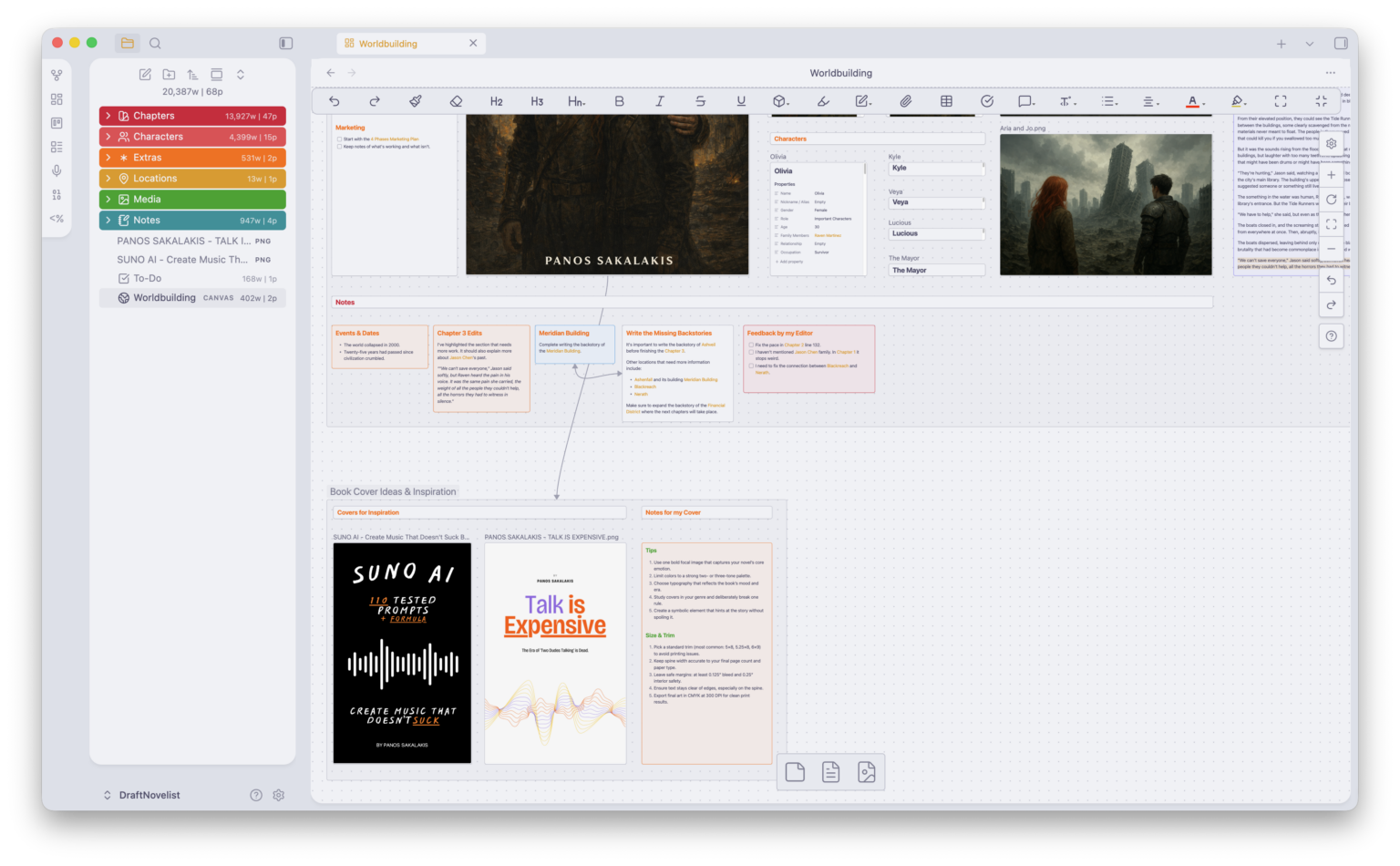 Worldbuilding Canvas
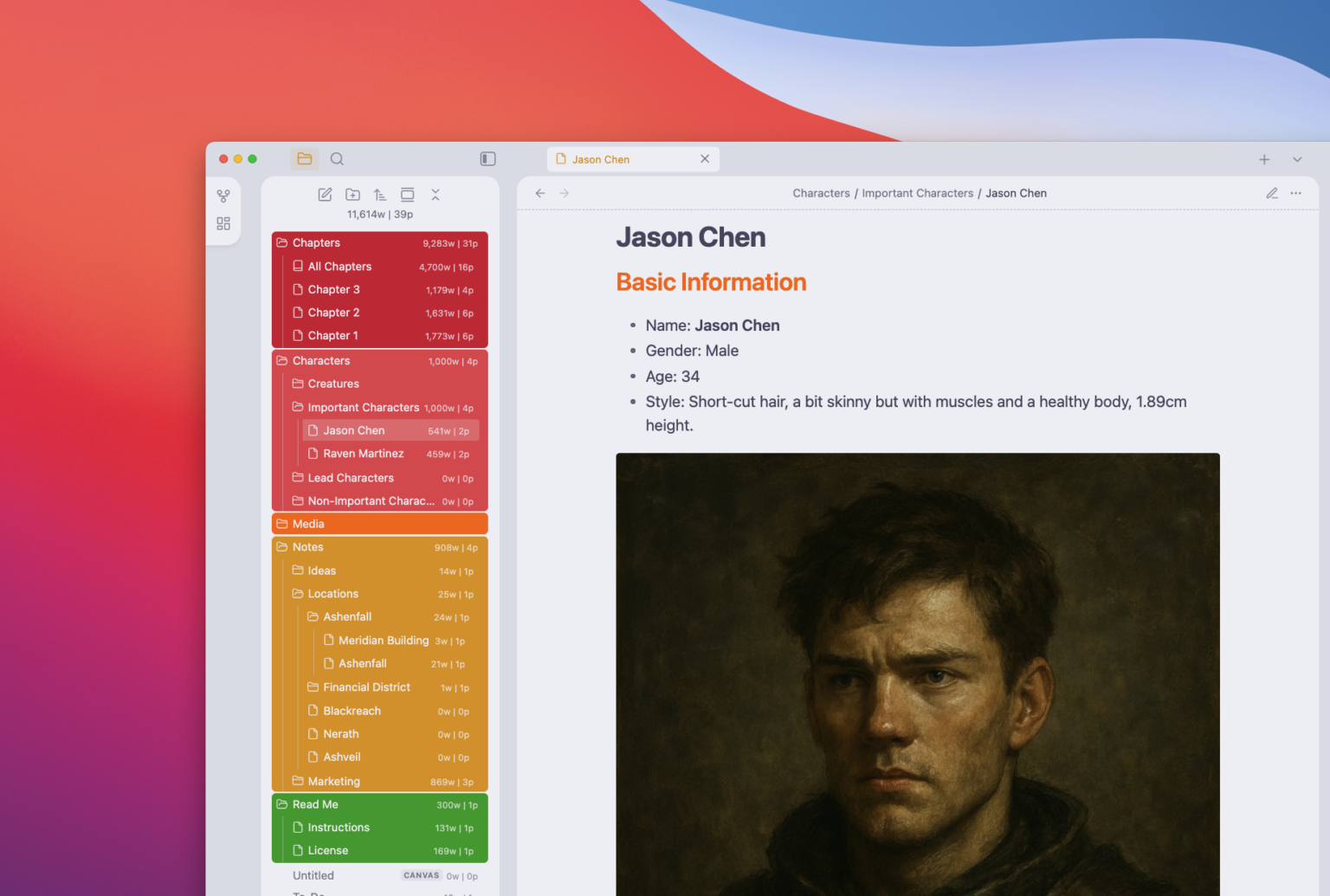 Character Profile
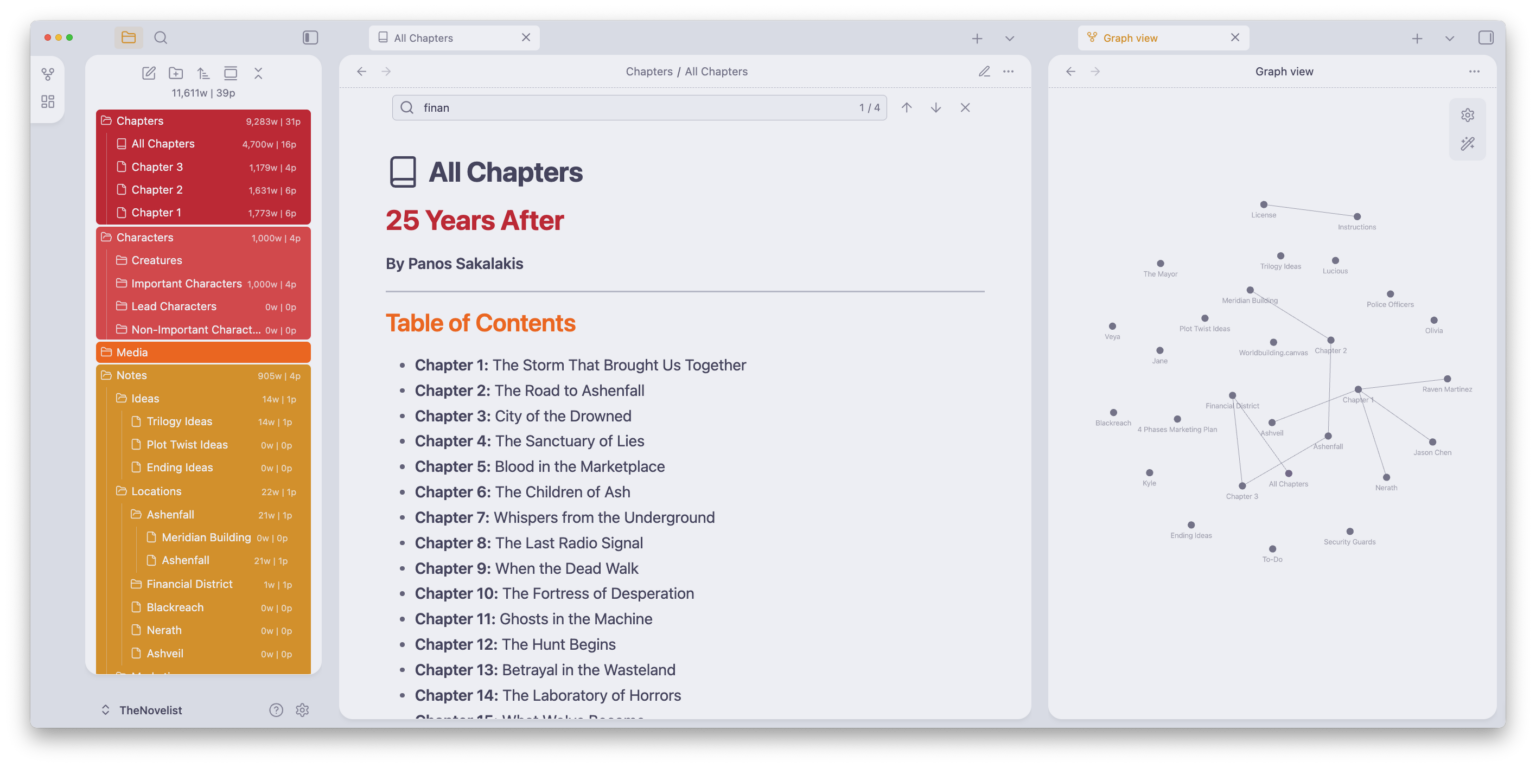 All Chapters & Mindmap
Requirements
What You Need
The Novelist Files
Download the vault from GitHub or Gumroad. Themes and plugins are bundled — just open and write.
Get the files →Getting Started
Installation
Download the Vault
Grab the latest release from GitHub Releases or Gumroad (free).
Extract the Archive
Windows: Right-click → Extract Here
macOS: Double-click the .zip
Linux: Right-click → Extract Here
Open in Obsidian
- Open Obsidian
- Click your vault name (bottom-left) → Manage vaults…
- Under “Open folder as vault”, click Open
- Select the extracted The Novelist folder
- When prompted, Enable Community Plugins and trust the vault
Make It Yours
Customization
The vault is a starting point — you’re encouraged to tweak it to match your style.
Style & Colors
Use the Style Settings plugin, go to Settings → Style Settings, and adjust colors, fonts, spacing, and UI density to your liking.
Structure & Plugins
Remove folders you don’t use, add your own templates, disable plugins you don’t need, or swap the theme entirely. It’s your workspace.
Version History
Changelog
Documentation & Instructions Update
Updated the Instructions document to include a link to The Novelist’s new documentation. The Documentation.html file has been added to the download files.
Major Overhaul
Added Worldbuilding Canvas as a central hub. Improved character and location structure. Enhanced internal linking for better Graph View insights. Added and updated templates for Characters and Locations. Integrated Writing Goals. Switched to Iconize for icons. Added Changelog page, Donate page, and Extras folder for templates and add-ons. Cleaned up unused secondary theme and assets.
Initial Release
First public release of The Novelist vault – the foundation for everything that followed.
Ready to Start Your Novel?
Download The Novelist for free and start writing in a workspace built for fiction.
If The Novelist helps your writing, you can support the project on Buy Me a Coffee, Ko-fi, or Gumroad.