If you’ve ever invested a few minutes of your life looking for the best book formatting apps, chances are that you’ve seen hundreds of mentions for Vellum. Rumor has it that this tool is so good that it made authors invest in a MacBook just to use it.
For most of my life, I didn’t own a macOS device. I decided to invest in the Mac Mini M4 a few months ago, and specifically and strictly use it for writing my novel. It was a smart move because I now have a clean, minimal, smooth, and ultra-fast interface where I have eliminated every distraction.
But is it even worth it? I mean, with so many options nowadays, is Vellum really that good and unique that it’s worth every penny? Well, I put it to the test.
Editor’s Note: Vellum is not the first book-writing and formatting tool I’ve tried, and it won’t be the last, either. I’ll review most of what I’ve used over the past few years, but for the time being, I’ll be comparing it with popular alternatives like Atticus and Reedsy.
The whole review is based on my own personal experience with Vellum, and it has been tested on a Mac Mini M4 with 16GB of RAM, running macOS Tahoe 26.4.1. The current version of Vellum that I run is v4.1.2, and I’ve tested it for both e-book and novel-writing.
What is Vellum?
Vellum was created by two former Pixar engineers, Brad Andalman and Brad West, as a solution for authors who, at the time, were struggling to make their e-books look as good as traditional books. They founded the company 180g in 2012, and if you’re unaware, back then, e-book formatting usually required a lot of HTML and CSS, or a highly-skilled professional.
In 2013, Vellum was launched, but it was for e-book formatting only. It wasn’t until 2017 that Vellum Press was released, and that brought the ability to generate print-ready PDFs for paperbacks and hardcovers. This was the update that any indie author appreciated, because they could finally handle their entire production process from a single app.
In 2026, Vellum is no joke. It’s so unique and different, you’ve got to praise its founders for keeping its design philosophy in such good shape.
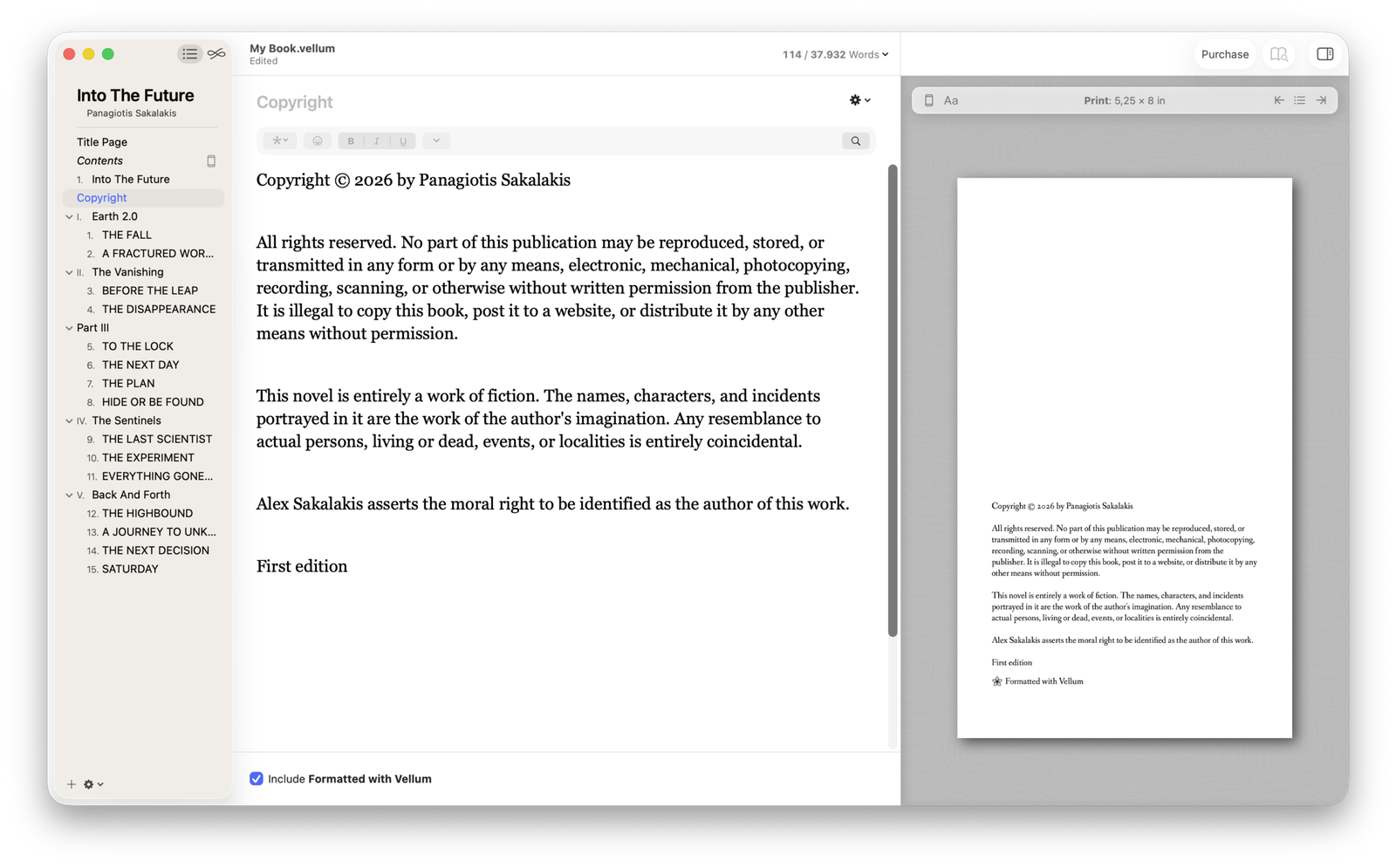
But like all things in this life, Vellum is not perfect, and the first major problem starts by being a macOS-only application, without a way to use it as a Windows or Linux user. You’d expect that, after all those years and being a premium software, they would at least provide a web-based version by now, but as a web developer, I can see how that would add thousands in monthly expenses.
In other words, if you were waiting or hoping for such a version, don’t. There are also no official announcements or even mentions that I could find from the company or its founders about building a version that’s compatible with other operating systems apart from macOS.
How much does Vellum cost?
While Vellum offers two different one-time payment versions, you can actually download it for free and use all of its features to write and format unlimited books. The only thing that’s locked in the free version is the option to export your book.
I don’t know if that’s a brilliant strategy to market their product, a love for indie authors with a small budget, or they have such high confidence in the work they made, they just offer it for free, or even all of them, but I love it. That means anyone can use Vellum, and even see what their book will look like, for as long as they want and without any restrictions in features, and once they’re done, they can pay and export their books.
The two premium versions of Vellum:
- Vellum Press / Priced at $249.99 – Create, format, and export unlimited e-books and paperbacks.
- Vellum Ebooks / Priced at $199.99 – Create, format, and export unlimited e-books (doesn’t support paperbacks).
If printed books aren’t included in your future plans, then you don’t have to pay extra for the ‘Press’ version, which is absolutely great. But if you’re not sure, I’d say take it; considering that it’s a one-time payment, it will be well worth the investment if your plan is to become a full-time author.
Getting started with Vellum
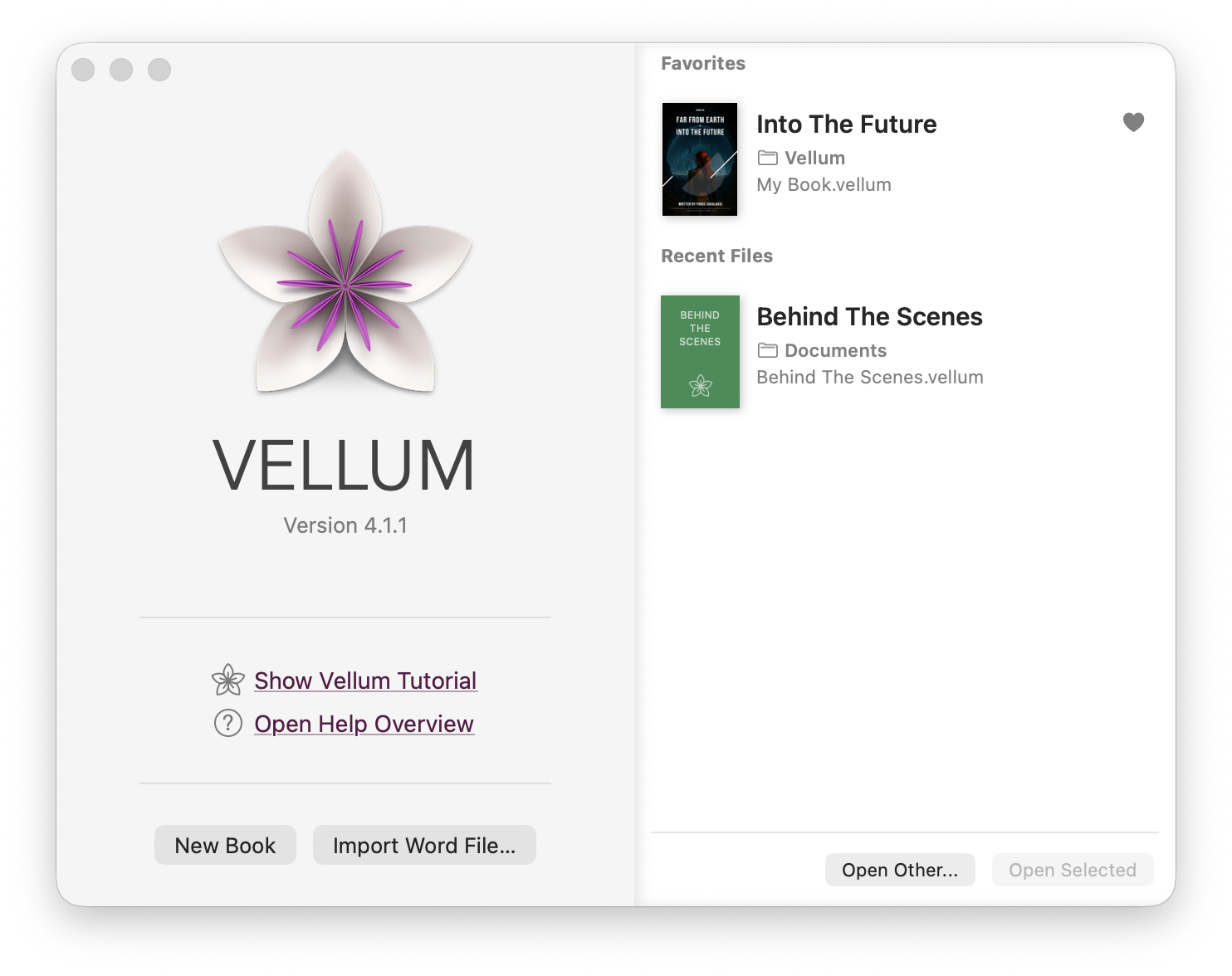
Downloading, installing, and setting up Vellum is so fast and easy that even a kid can do it. For now, the only requirement is that you have to run macOS 13 or newer, as Vellum is not compatible with older versions.
Here’s how to get started:
- Download the app from Vellum.pub.
- Double-click on the downloaded file to install the app.
- Launch Vellum.
- Import a Word file or create a new book.
And… that’s it. Literally, that’s it.
Once you have completed writing and formatting your book, just press at the “Purchase” button (located on the top right corner in Vellum), select the preferred version, and complete the payment. The option to export your book will instantly become available.
Vellum’s strongest features
Before I start sharing my personal experience with Vellum, it’s important to know some of the best features it offers right now, along with some of the most recent ones they added. This is an application that continues to receive new updates that fix problems or bugs that users may report and introduce new features.
| Category | Feature Name | Description & Functionality |
| Writing & Editing | Word Processing | A smooth and distraction-free writing environment with standard text formatting (bold, italics, etc.), spell checking, and proofreading features. |
| Navigation | Drag-and-drop chapter management; easily rearrange scenes and chapters via the sidebar. | |
| Writing Modes | Includes both a light and a dark mode. | |
| Offline Mode | Offers full offline support. | |
| Formatting & Design | Styles | It offers over 20 different styles that you can use for your book’s format. |
| Custom Headers | Offers the ability to add subtitles and heading images. | |
| Exporting & Publishing | Multi-Format Export | Exports EPUB (ebooks), PDF (print-ready), and DOCX (editing). |
| Real-Time Previewer | Preview how the book looks on specific devices (Kindle, iPad, Print) as you edit. | |
| Print Trim Sizes | Pre-loaded industry-standard trim sizes (e.g., 5×8, 6×9) compatible with all major platforms. | |
| Platform & Tech | macOS | Available only for macOS. |
| Local Storage | Automatic local saving backups. | |
| Recent Updates (2025/26) | Word Count Visualized | Displays the word count for each chapter and how it compares to the average, making it easy to analyze pacing, outliers, and your book’s overall rhythm. |
| Heading Image Controls | Control Heading Images with position and size options, plus a new Include In setting to make them ebook-only. |
You can always check Vellum’s blog to see the most recent updates they released and what each one brings, improves, or changes.
For e-books, you can quickly format and export them for every major platform, including Kindle, Apple Books, Kobo, and any that support the most popular file formats. All the files are validated in EPUB 3 and EPUB, it offers image optimization and compression, ARCs for beta readers in EPUB and MOBI, and ACE-approved accessible output.
When it comes to paperback, you get all the basic options, such as choosing your trim size, but not much else. That’s because Vellum itself automatically sets up all the margins, page numbers, headers, and footers for you, and it can even handle window-handling and spread-balancing for the ultimate result.
There are options for both paperback and hardcover, 24 trim sizes to choose from (plus large print option), along with full-bleed pages and backgrounds.
An introduction to Vellum’s interface
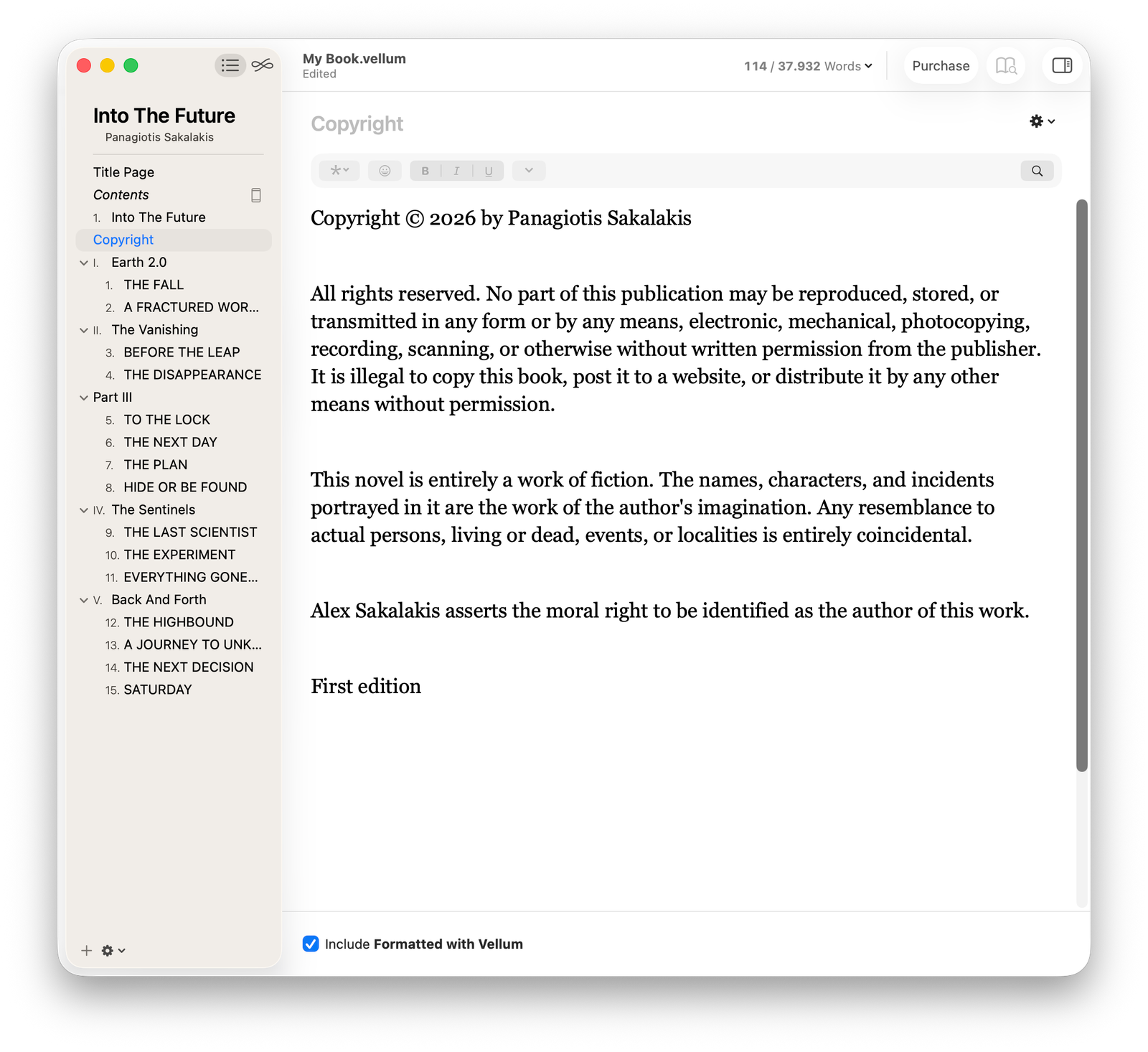
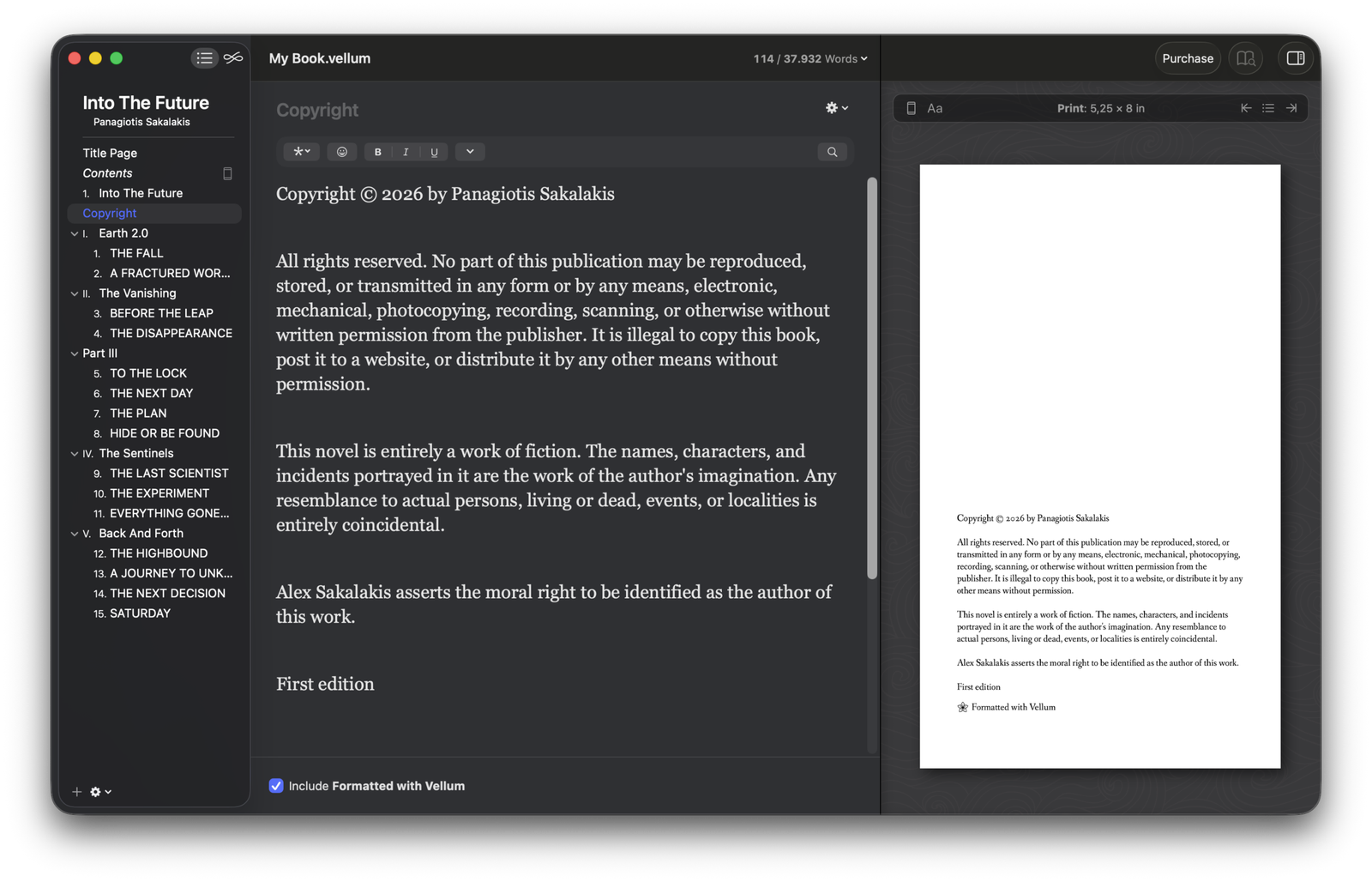
Vellum couldn’t get any simpler. It offers a minimal and distraction-free interface that’s great both for writing and formatting. The most important options, including your parts and chapters, are all located in the left sidebar. This is the place where you create, manage, or delete all of your parts, chapters, and pages.
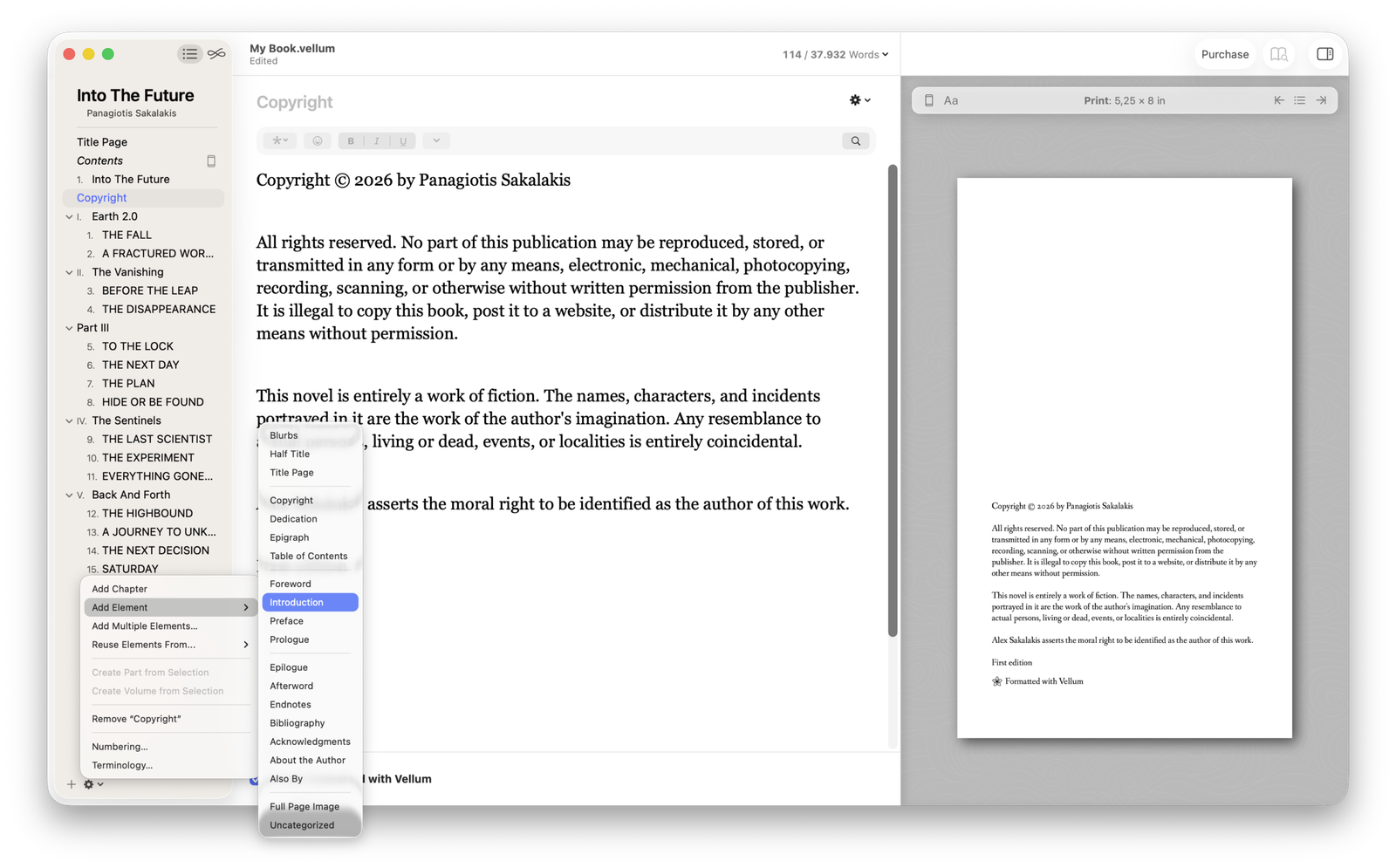
You can quickly rearrange everything by dragging them, and if you click on the ‘Settings‘ icon on the bottom right of the sidebar, you can find all the other options to create different pages, such as blurbs, dedication, epigraph, foreword, introduction, preface, prologue, epilogue, afterword, and more.
In the middle of the interface lies your text editor. At the top, you can find the formatting options, such as making your text bold, italic, or underlined, inserting images, lists, block quotations, and more. And on the top right corner, you’ll find the word counter with the number of words written for each chapter, the whole book, or both.
On the right side, you’ll find the live previewer, which shows what your book will look like. You can easily minimize/hide it while you’re writing, and reopen it with a single click whenever you want to get excited seeing how the single paragraph that you just wrote will look like printed.
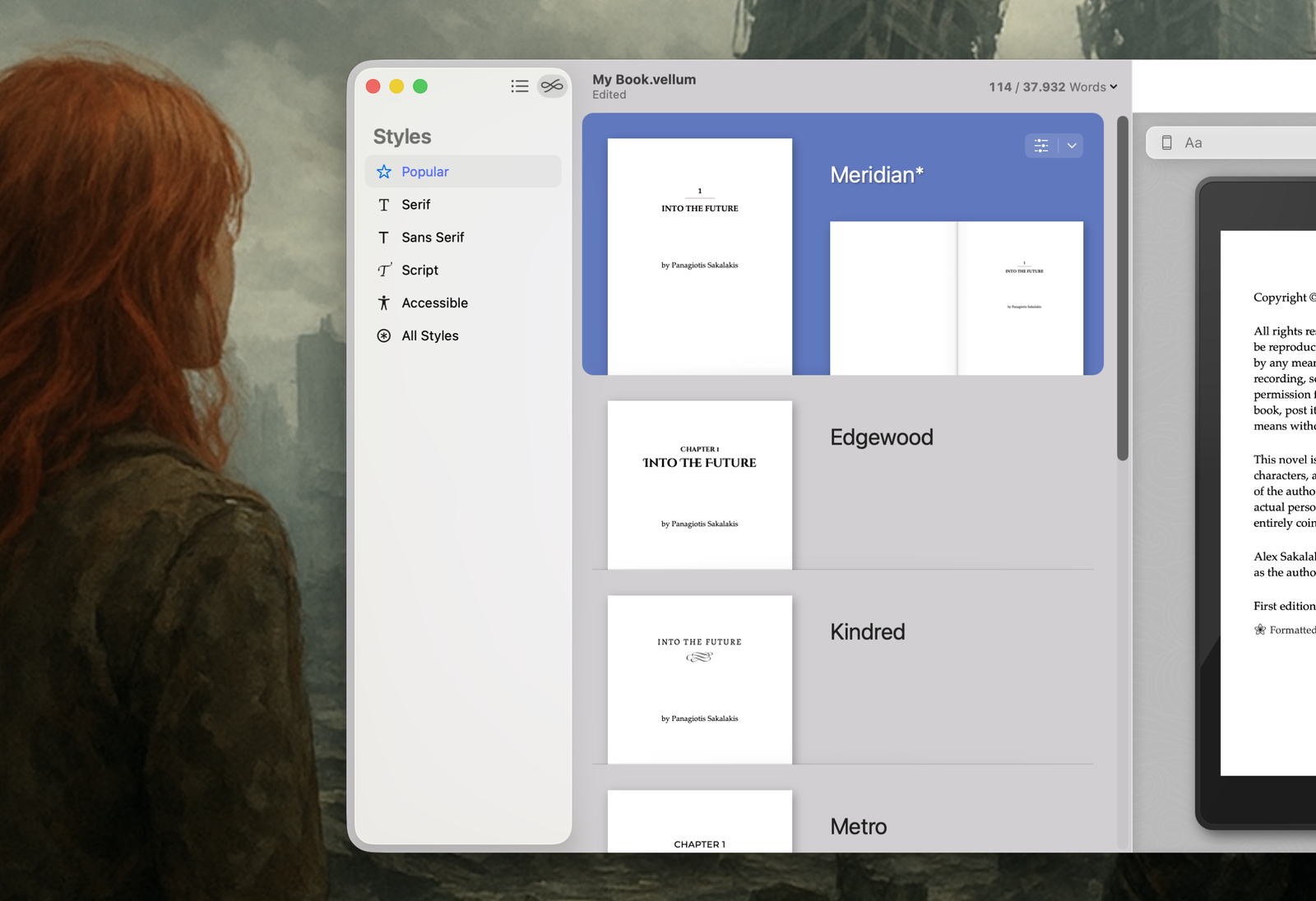
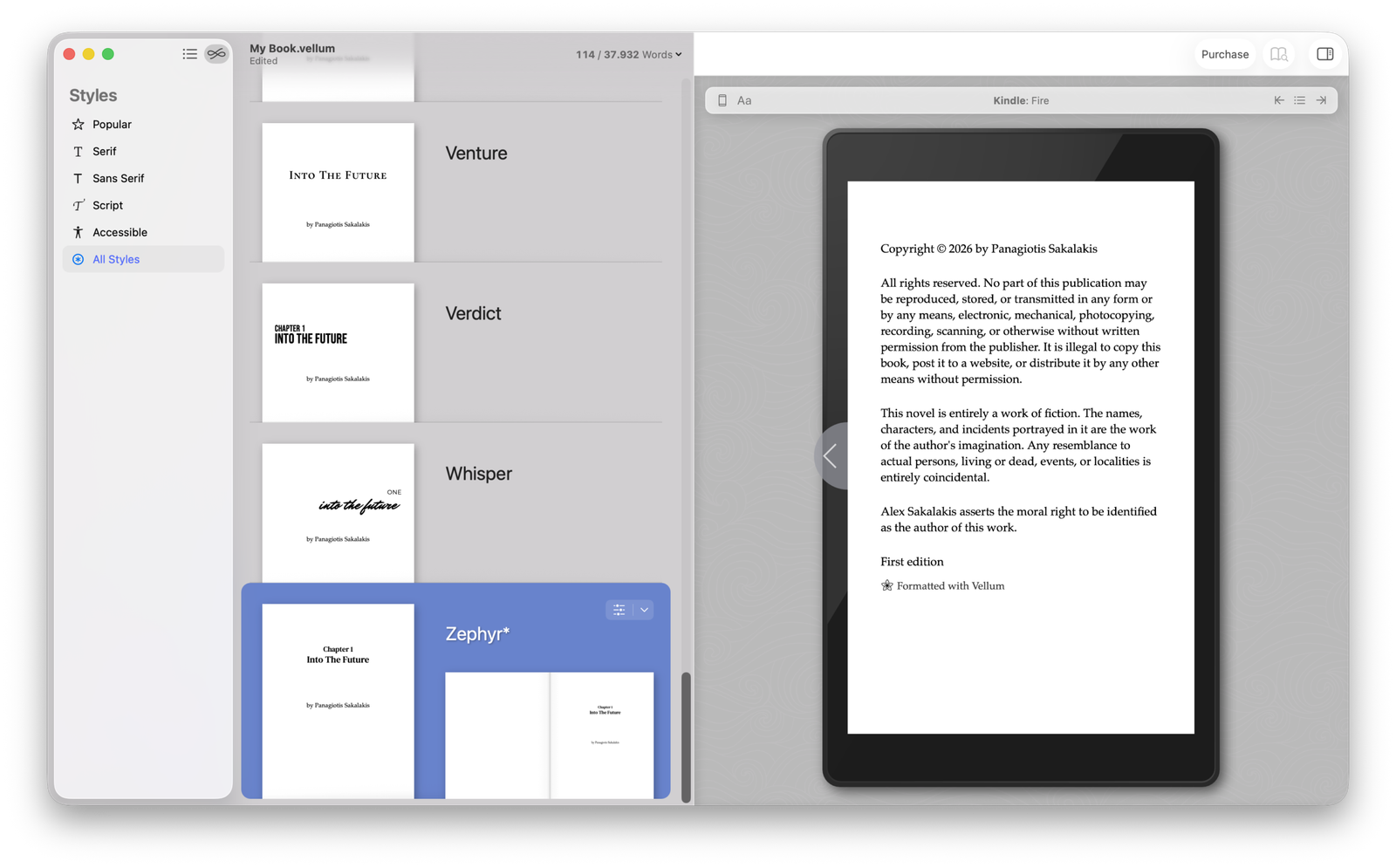
Last but not least, on the top left corner of Vellum, you can find the option to switch between the Contents and Styles. The second is where all the pre-made styles that Vellum offers are, and you can quickly switch between them or do basic customization adjustments to them.
My experience with Vellum: Testing my sci-fi novel
Before I ended up downloading and using Vellum, I had read a few reviews and topics on forums about the app. A lot of people mentioned that, while it’s a great tool for book formatting, it’s not ideal for writing. Some said that Google Docs was superior for writing, while others recommended investing in Scrivener.
They were all right. Mostly.
Writing on Vellum is one of the greatest, simplest, and smoothest experiences you’ll ever get – that’s all I say. What drives authors to other tools for the writing process includes the lack of collaboration features and the inability to add comments. I found out what they were talking about when I imported my novel, and my comments were gone. That’s when I knew how important they were. Also, quickly sharing my novel with an editor or beta reader is a few-second job.
For basic e-books and guidebooks, I don’t think those features are a drawback, but they are for most other types of books. But that’s okay, I can live with that.
But let’s get to the chance. How’s the formatting experience? For starters, Vellum is a native application, and if you don’t know what that means, in short, it means you’ll be enjoying a fast, stable, and smooth experience even when you’re dealing with massive novels – and that’s not the case with most alternatives.
Whether I was working on a 60-page guidebook or a 120,000-word novel, each change I was making, every adjustment, no matter how small or big it was, was applied instantly – and the same goes for the previewer that lets you see what your book will look like as print or on different devices.
I started testing Vellum with my novel first, because that’s the most important thing I’ve been working on for the past two and a half years. Let me just say that, without even touching any of the formatting options that the app offers, I was stunned and left amazed by how beautiful and professional my book looked like from the previewer. That’s not something you can easily achieve, if you even can, with any other alternative book formatting app.
The interface was also very easy to navigate and learn, and I’ve gotten very familiar with it during the first couple of hours of using it. There’s not much to tell (and that’s a compliment), as you basically get two sections, one where you manage your parts and chapters and write/format your book, and one where all the pre-made styles are located.
So far so good. Vellum is great for novel-writing, and the final results are almost guaranteed to look stunning. But I think you can find thousands of books that were created with Vellum and already prove that.
Where things go wrong
It’s funny how quickly someone can change their mind in a matter of seconds. I was almost ready to complete the payment and get Vellum when I decided to keep the window active in my browser and continue testing the application, but this time, for a difference purpose.
At the time, I was still writing the Suno AI – Create Music That Doesn’t Suck guidebook, and I was intending to use Vellum for formatting and exporting it. So I did the only logical thing and created a new book in Vellum, imported my Word file, and started formatting it. Since it was almost done and just needed a bit of polish before the final format and export, I figured it would only take a few minutes to get done with it in Vellum, and export it immediately after purchasing the app.
It’s absolutely mind-blowing that a premium book formatting application that asks you to buy it, doesn’t offer you headings. Mind-blowing.
Call me weird, call me crazy, or difficult to satisfy, or whatever else you want, but I can’t work with my guidebooks without headings. H2, h3, h4, h5, and h6 are all important if you want to properly structure your content – or at least, the one I’m writing about. That alone was enough to make me go with Atticus instead.
Something else that’s worth noting is that Vellum doesn’t support custom fonts, so if you’ve brought a custom font for your series, you’re out of luck.
How does Vellum actually compare to other alternatives?
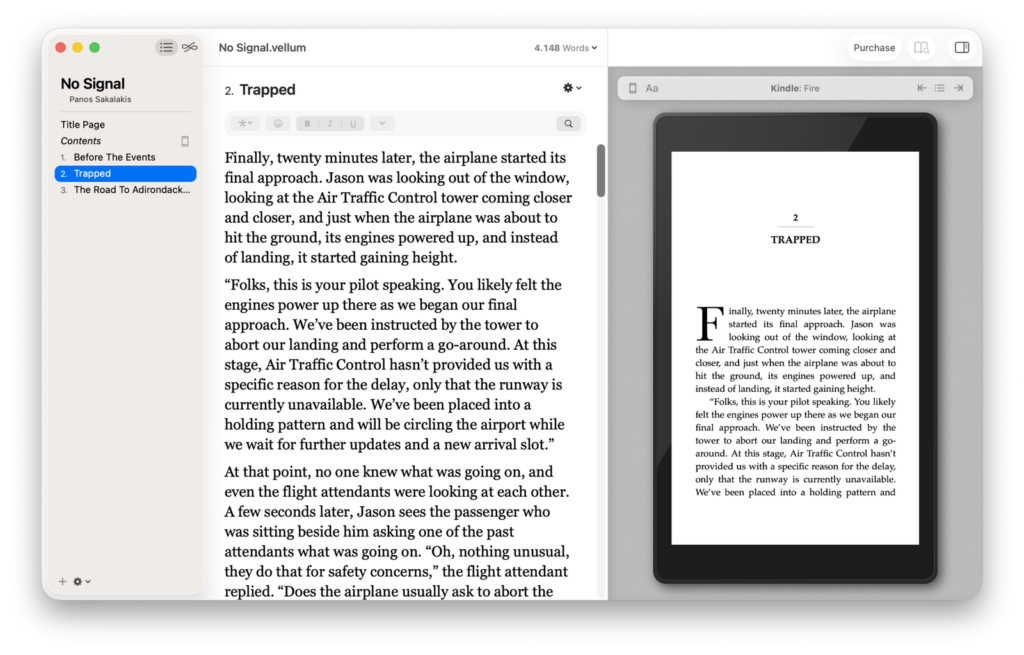
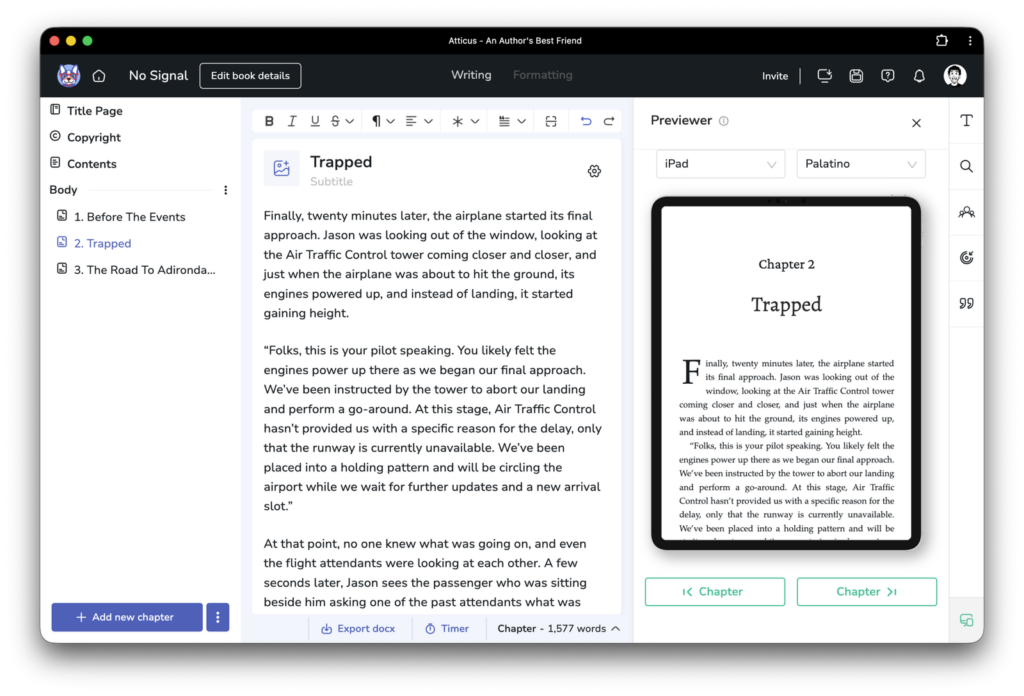
It may just be me, but after using Atticus for a couple of months, going back to Vellum felt like a drive into the past. I’m not talking about the design here, but the amount of customization options that Atticus already offers, which made me wonder if Vellum even plans to provide half of those.
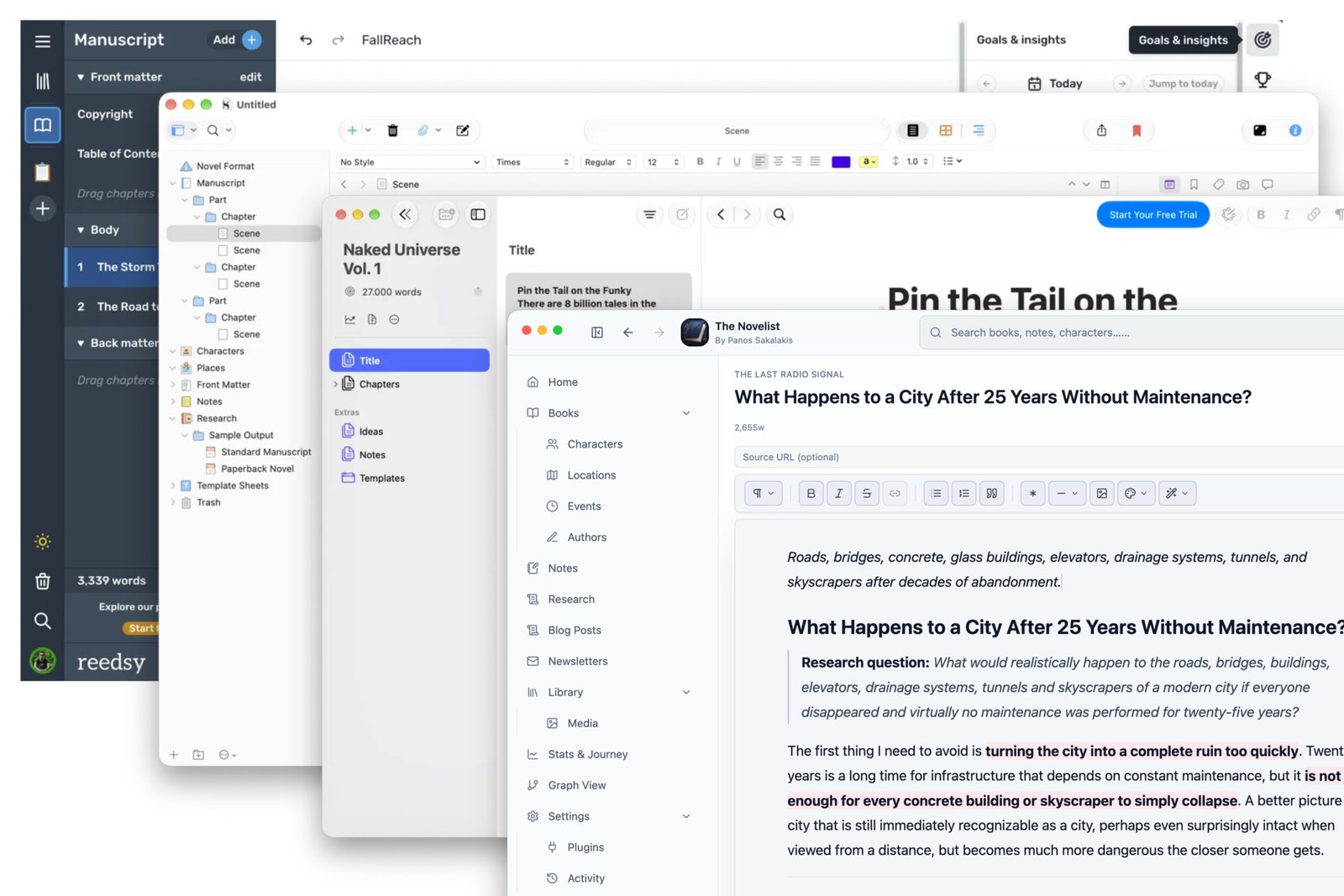
Where Vellum is superior to other alternatives, including Atticus and Reedsy, is first and foremost the simple fact that it offers a native app instead of a web-based version. Being native means that your app doesn’t have to send signals and requests to a server located somewhere in the world every time you make a change, and thus the reason behind the smooth and fast experience you get with Vellum.
But considering the lack of many features, the price, and the fact that you’re locked to using macOS only, along with the high chances of not even using it for writing but rather just for formatting, is it really worth it?
The simplest way to explain this is that, basically, I feel that you’d be paying Vellum for its unique design philosophy rather than its features and formatting options. It gives you a beautiful and professional-looking structure for your book out of the box, and if you love how your book looks, then I find no reason why not just buy it.
But before spending any money, give Reedsy a try. It’s completely free and offers enough options to keep most authors happy. If you don’t like the final result, just delete your book and move on with your life. If you want even more formatting options and a web-based app that works everywhere, Atticus is the king.
Vellum Review 2026: Is it worth the $249.99 for formatting?
In 2026, Vellum remains one of the “Gold Standards” in the book formatting world, but its speed, smoothness, and aesthetic may not be enough for every writer.
Price: 249.99
Price Currency: USD
Operating System: macOS 13 or newer
Application Category: DesignApplication
4.5
Pros
- Books formatted in Vellum have a distinct, professional look that is difficult to replicate.
- Recent updates introduced Page Backgrounds and Forced Edges, allowing us to create "Special Edition" hardcovers with intricate margin art and sprayed-edge designs.
- The real-time previewer remains the best I've seen so far.
- Vellum’s lifetime license is still highly valued by full-time authors.
Cons
- It's only available on macOS.
- There's no support for custom fonts.
- Lacks basic formatting options like headings.
- It struggles with complex layouts.
FAQs
Is Vellum available for Windows, Linux, or Chromebooks?
No, Vellum is only available for devices running macOS version 13 or newer.
Is Vellum a subscription service or a one-time purchase?
It is a one-time purchase. You pay once and own that version forever, including updates, but the company says they may introduce
Does Vellum work for worldbuilding?
No, Vellum is good for formatting, not for worldbuilding. For that, you may want to look for stronger alternatives, such as The Novelist (Obsidian Vault) or Scrivener.
Do I need to buy a new license for every book I publish?
No. Once you purchase the “Vellum Press” license, you can format and export an unlimited number of books and pen names for the life of the software.
Can I download and use Vellum for free?
Yes, you can download and test Vellum completely for free, for as long as you want, and add as many books as you’d like, with all the features it has to offer. Vellum only locks the exporting options, meaning you can only download your book in .docx format, which is meant for your editor or beta readers.
I have an old Mac; can I run Vellum?
If you have anything older than macOS Ventura, then you can still download and install Vellum’s legacy versions, but those lack the newest features.