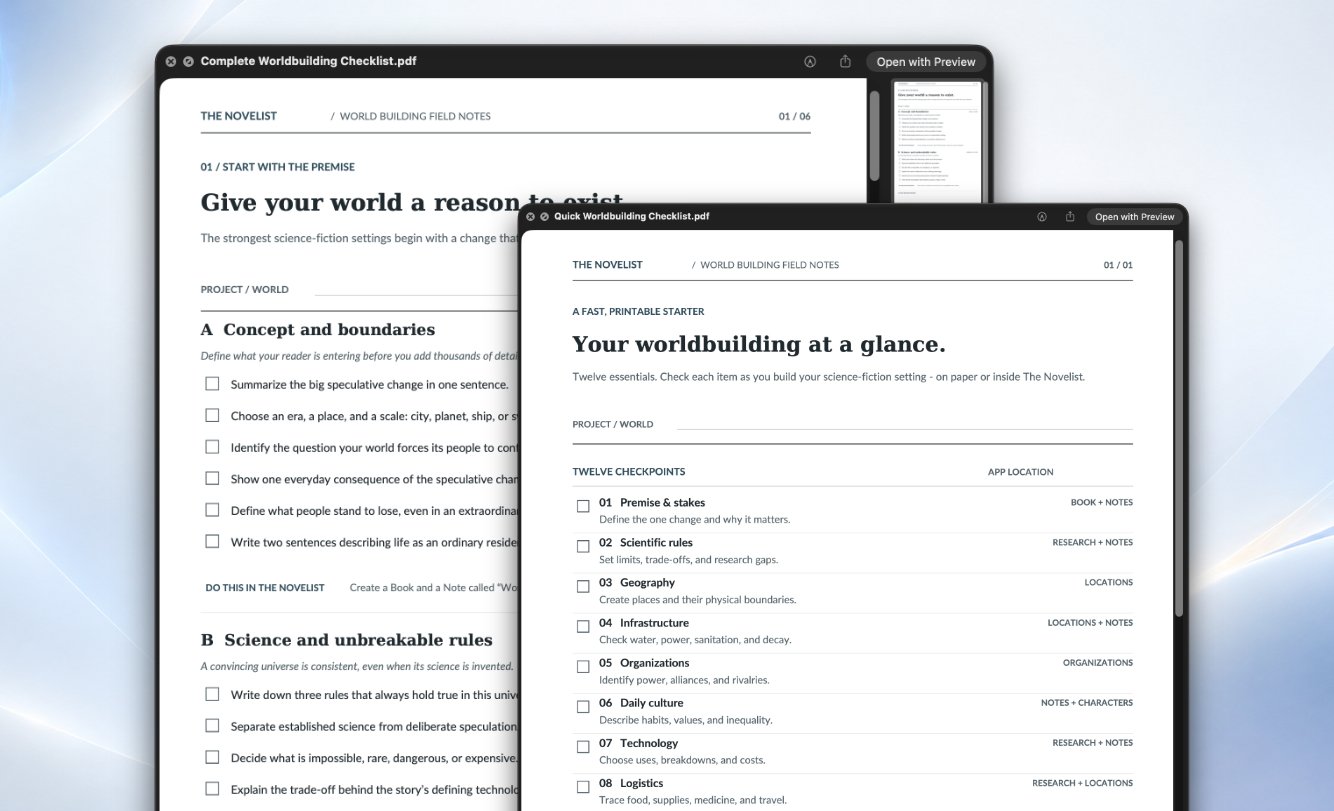
I’m in a strange position with this review because I’m not simply reviewing another writing app I downloaded, used for a couple of weeks, and eventually forgot about. I built The Novelist. I know where the ugly parts are, I know which features took far longer than they should have, and I know exactly how many times I managed to break something that had been working perfectly the day before. That makes reviewing it objectively difficult, but it also means I’ve spent more time inside this application than I normally would before writing about software.
So, for this review, I’m going to try something different. I’m going to treat The Novelist as if somebody else developed it, judge the current Early Access build based on what is actually available today, and ignore what I hope the application might eventually become. That distinction matters because there are many things on my roadmap, but you don’t download a roadmap; you download the software that exists right now.
The current public version is The Novelist v0.1.20, available for Windows and Apple Silicon Macs. It is still an Early Access application; it is not digitally signed yet, the interface is still being improved, and there are areas that clearly need more work. At the same time, it has grown considerably beyond the simple text editor I originally set out to build, and I think there is finally enough here to properly judge it as a writing application rather than as an experimental side project.
After trying to look at it the same way I would look at Scrivener, Vellum, Atticus, Ulysses, Obsidian, or any other application I’m considering putting my manuscripts into, I’d currently give The Novelist 4.1 out of 5 stars. That rating comes with quite a few conditions, so let me explain.
What exactly is The Novelist?
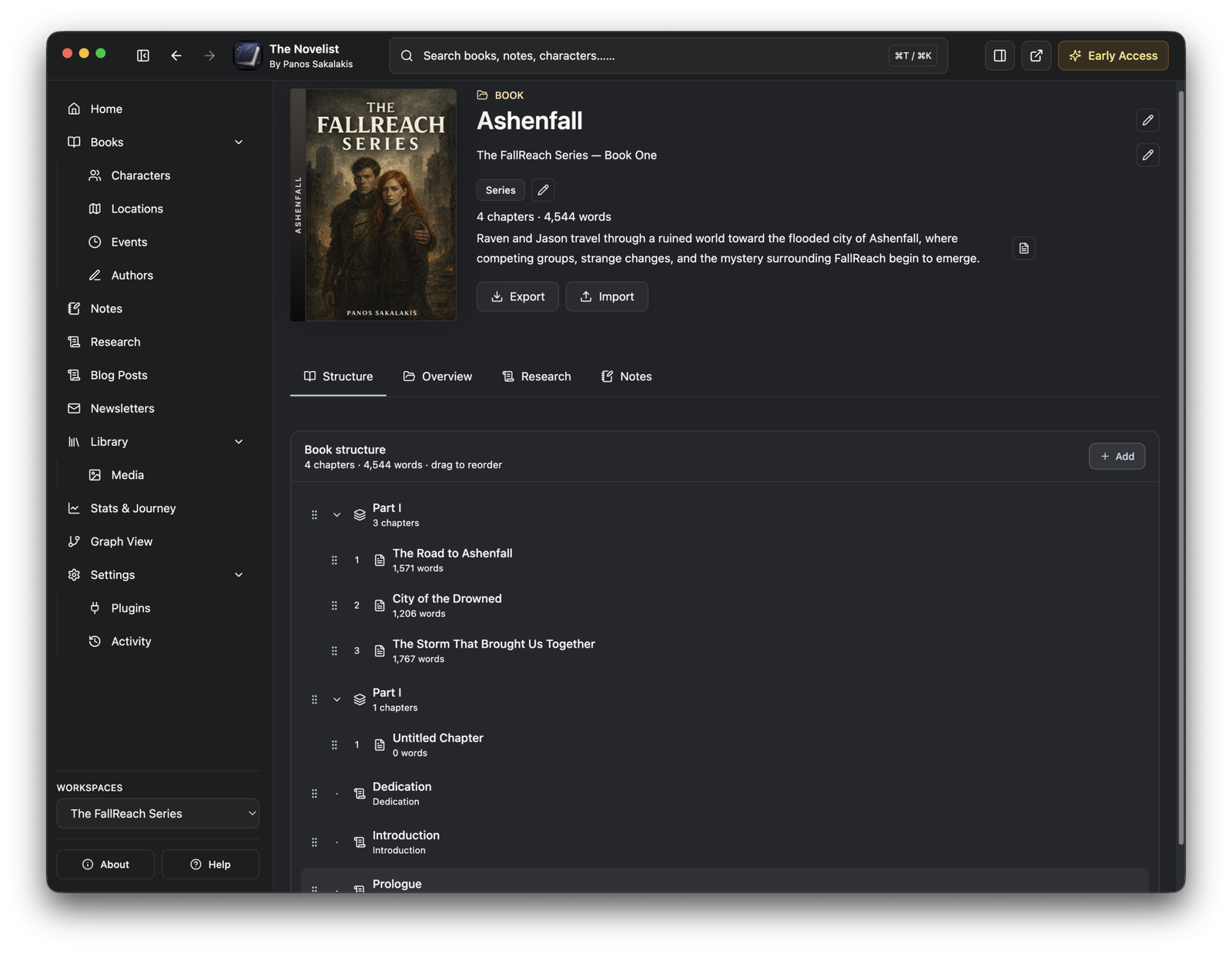
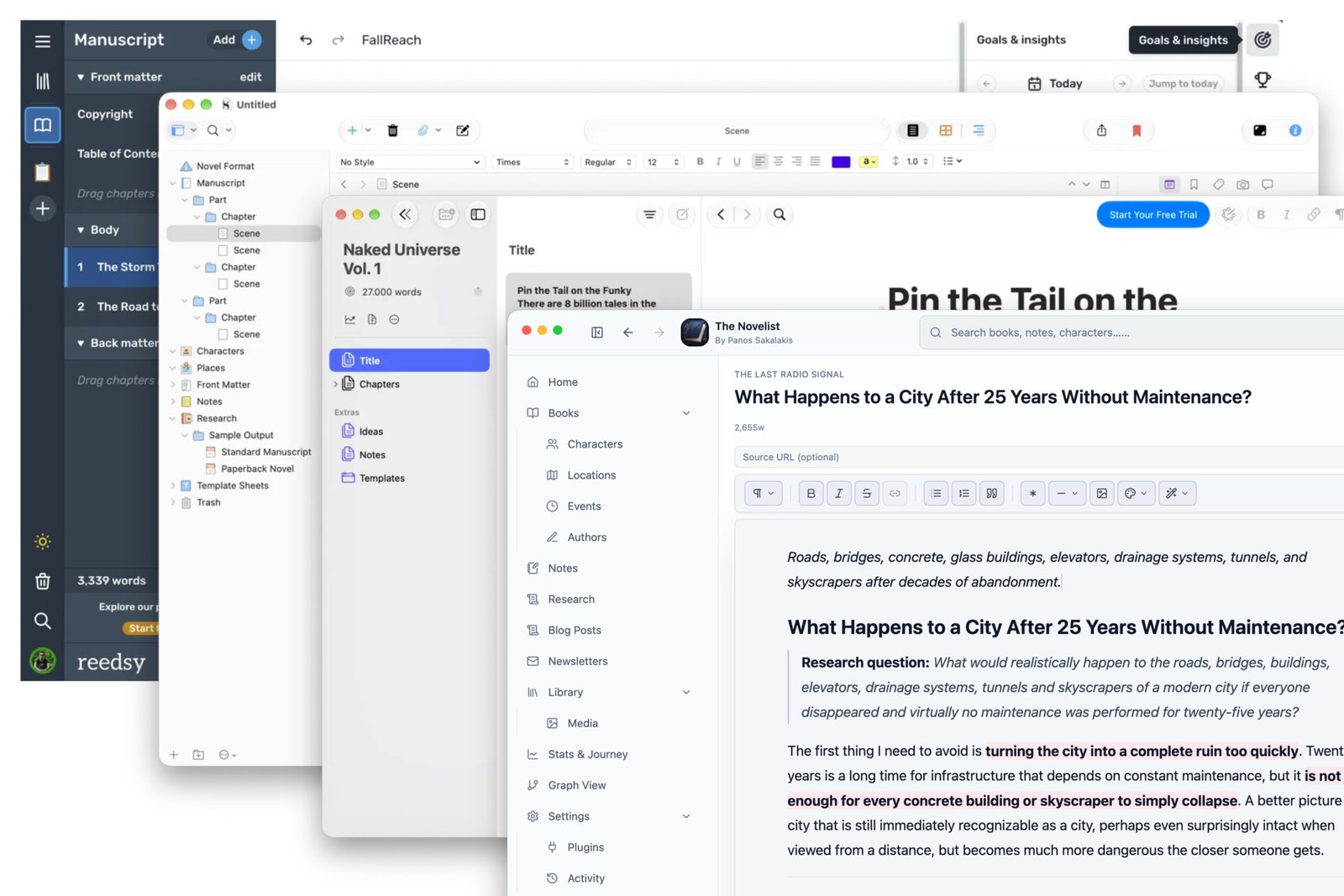
The Novelist is a desktop writing and worldbuilding application primarily designed for fiction authors. The idea behind it is simple: instead of writing the manuscript in one application, storing character information somewhere else, keeping research in another tool, maintaining notes in Obsidian or Notion, and constantly jumping between windows, the application tries to keep those things connected inside one workspace.
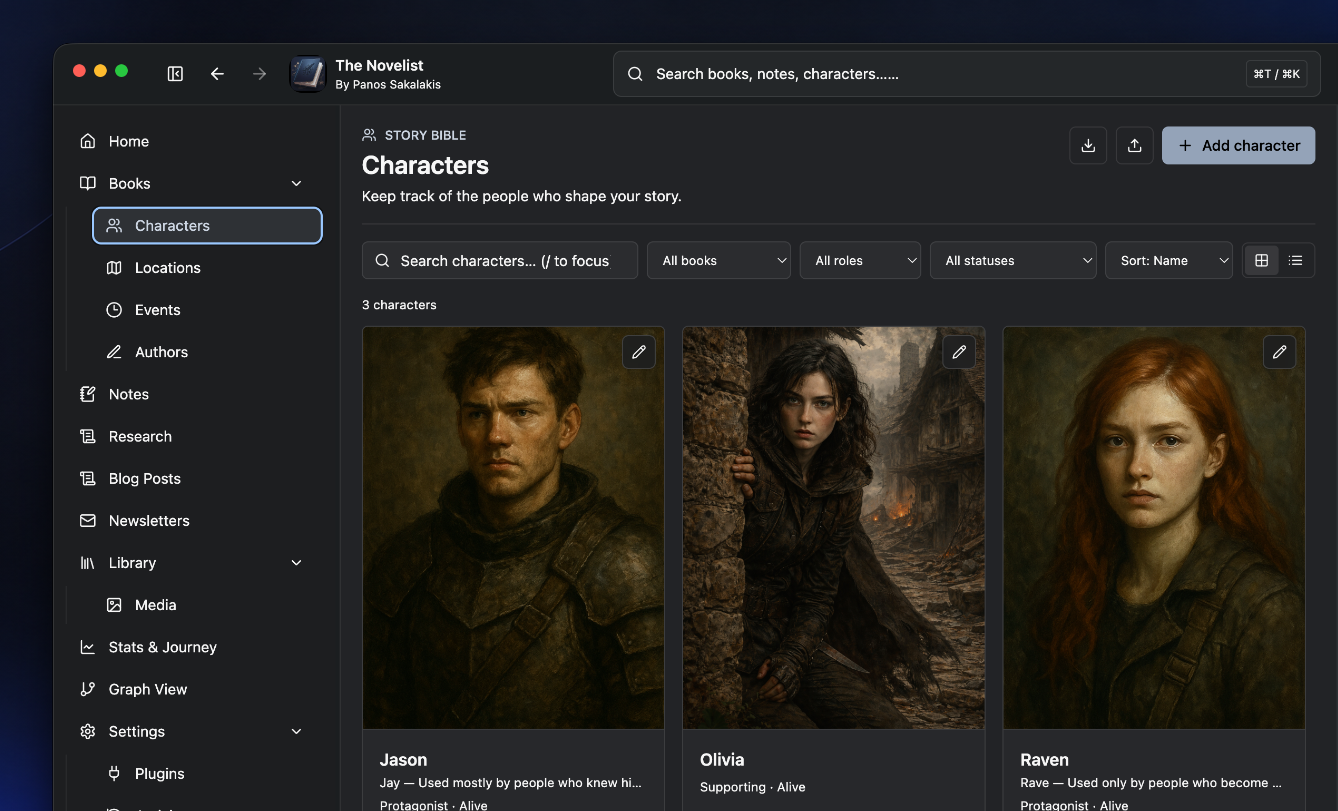
A book can contain Parts, Chapters, Front Matter, Back Matter, copyright pages, full-page images, and the other pieces you would normally expect from a manuscript. Alongside the manuscript, however, there is a much larger Story Bible where I can create Characters, Locations, Events, Organizations, Secrets, Authors, research material, and Notes, then connect those things back to the actual writing.
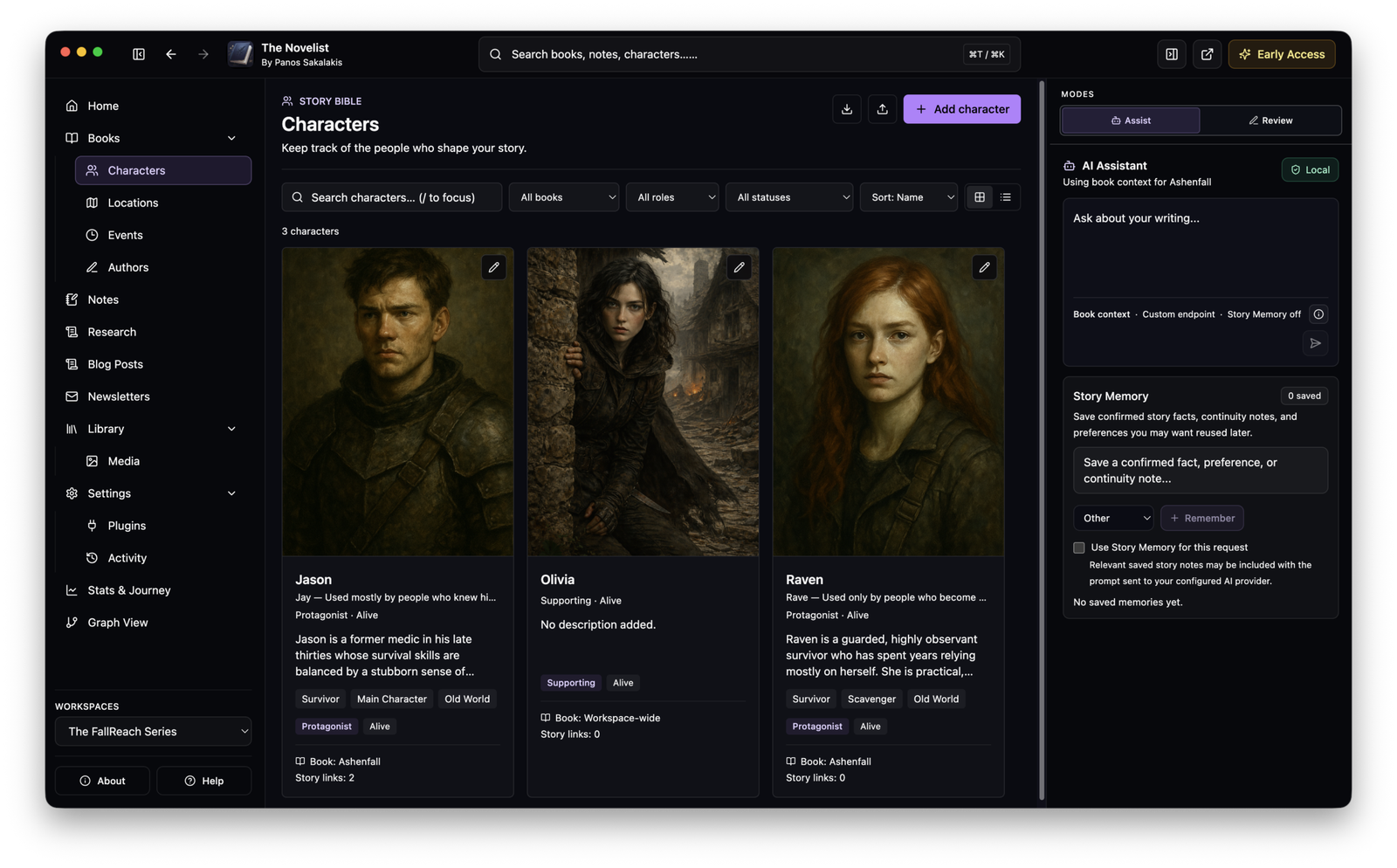
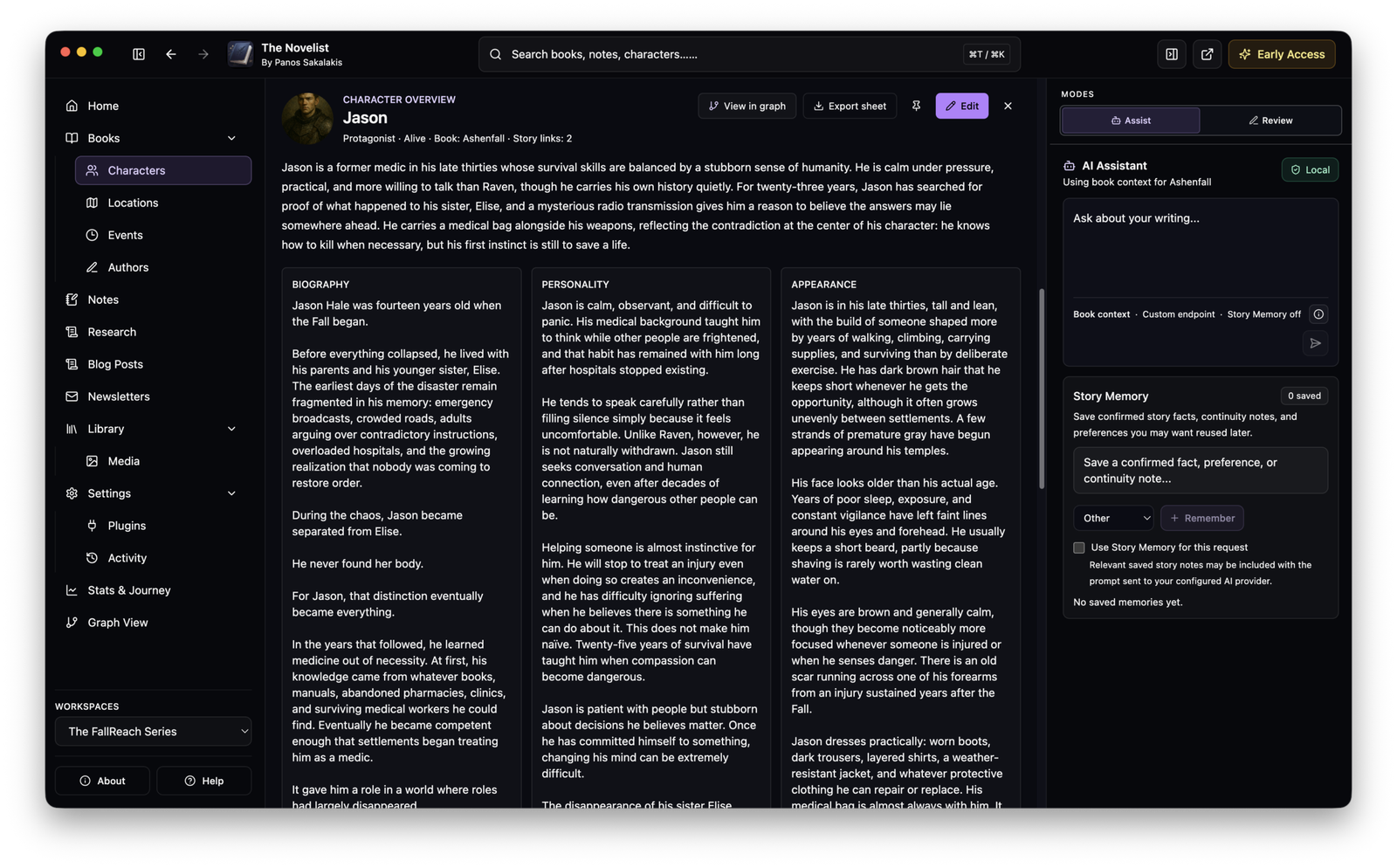
That connection between the manuscript and the worldbuilding side is probably the strongest part of the application for me. When I create a character, I’m not simply creating another note containing a name and biography. I can add appearances, personality information, aliases, goals, fears, flaws, character arcs, POV or voice notes, tags, relationships, and connections to other parts of the project.
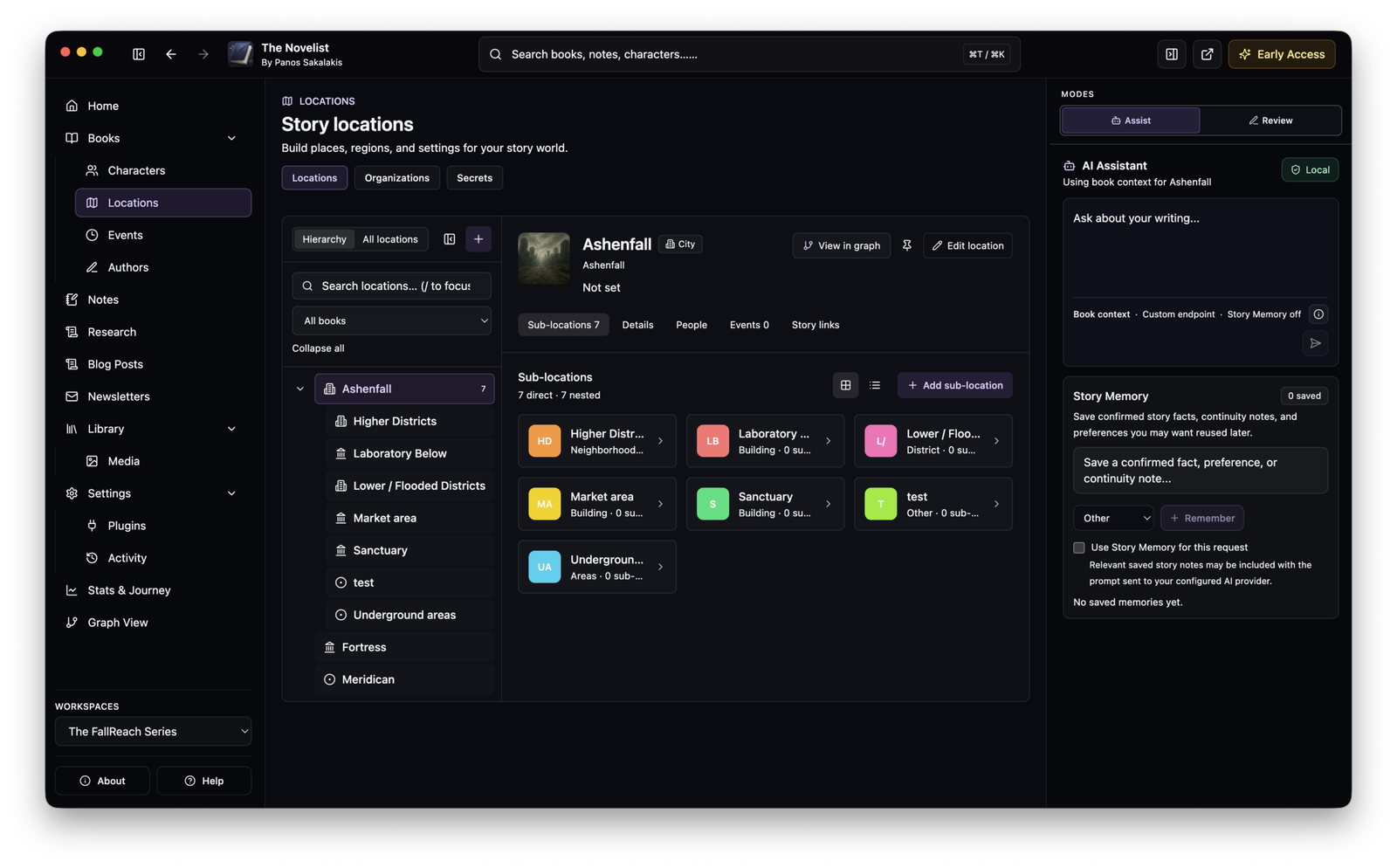
Locations can have parents, allowing me to organize something like a country inside a planet, a city inside that country, and individual buildings or landmarks further down the hierarchy.
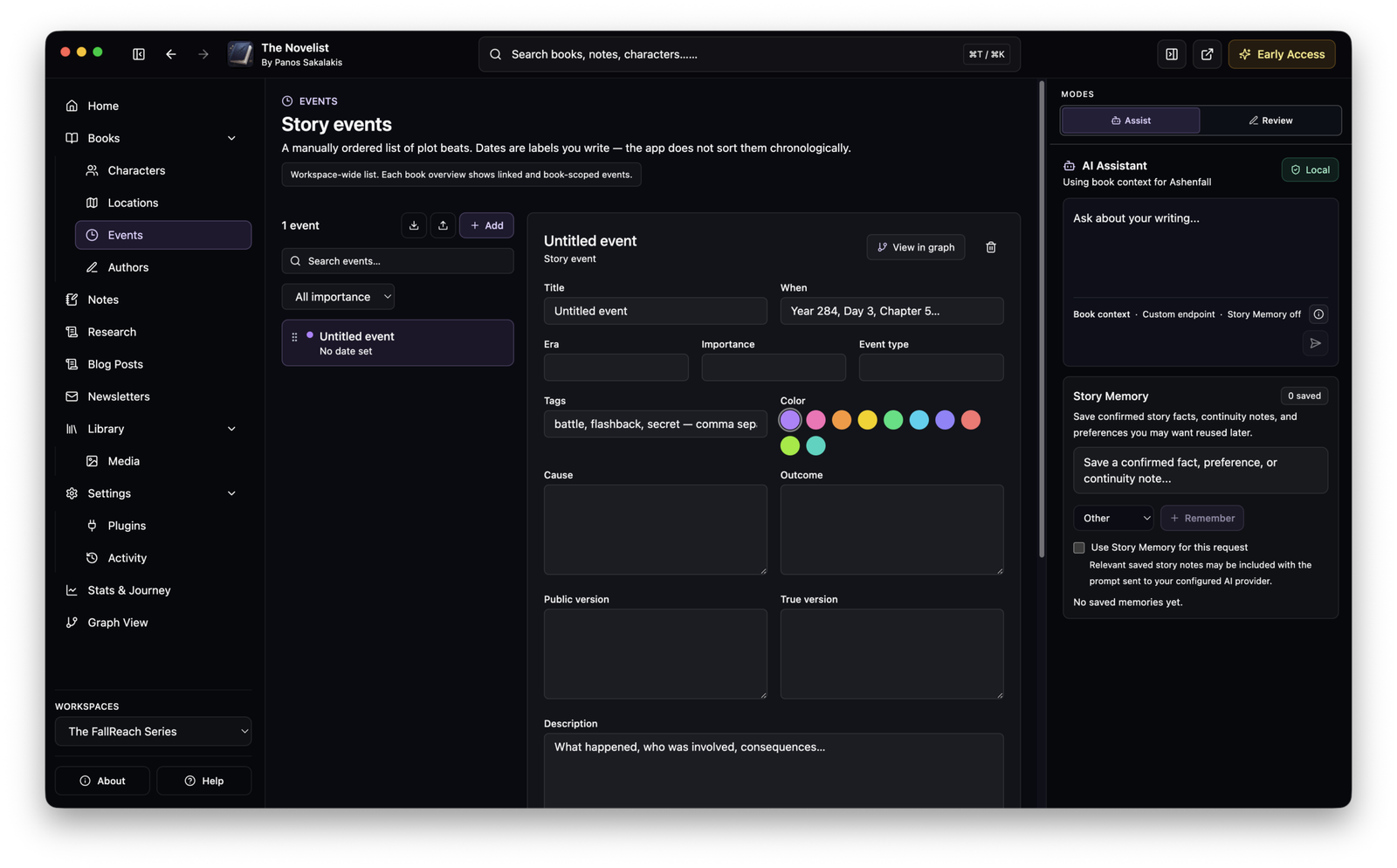
The same general philosophy applies to Events, Organizations, and Secrets. I can build the world separately from the manuscript, but the two sides are meant to remain connected instead of becoming two unrelated databases.
The editor itself is a rich-text writing environment rather than a Markdown box pretending to be a word processor. There are the usual formatting controls, comments, scene breaks, quotations, lists, images and colors, while Writing Mode changes the navigation around the manuscript so that Parts and Chapters remain easily accessible. There is also a Focus mode when I want most of the surrounding interface to disappear.
I wouldn’t describe the editor as finished yet, particularly when comparing it with software that has existed for a decade or more, but it has reached the point where I can write a novel inside it instead of merely testing whether its editor works.
The local-first approach is probably its biggest advantage
One of the main reasons I originally wanted a desktop application rather than another web app was privacy. My manuscripts live on my computer, and The Novelist is designed around that assumption rather than around an account sitting somewhere on a server.
Books, Chapters, Characters, Locations, Notes, research, and other project information are stored locally. The application includes backup and recovery functionality, and I can decide whether those backups remain on another disk, go to a NAS, or get uploaded to whatever cloud storage provider I personally trust.
There is no cloud synchronization system quietly copying my entire fictional universe to The Novelist’s servers. That also means I am responsible for my own backups, which is something I would strongly emphasize to anyone using an Early Access writing application. Local-first software gives me more control, but that control also means I should not keep the only copy of an eighty-thousand-word manuscript on one SSD and hope that SSD lives forever.
There are optional anonymous product analytics, but they are disabled by default and can be controlled from Settings → Privacy. The application does not use manuscript text, character names, Notes, research material or similar project content as analytics data.
AI is handled separately. If I choose a cloud provider, the text required for that particular AI request has to be sent to that provider. If I use something like Ollama or LM Studio, the model can run locally instead. I like having the second option because it means the AI functionality does not inherently require handing a manuscript to a cloud AI company.
Writing and worldbuilding together works surprisingly well
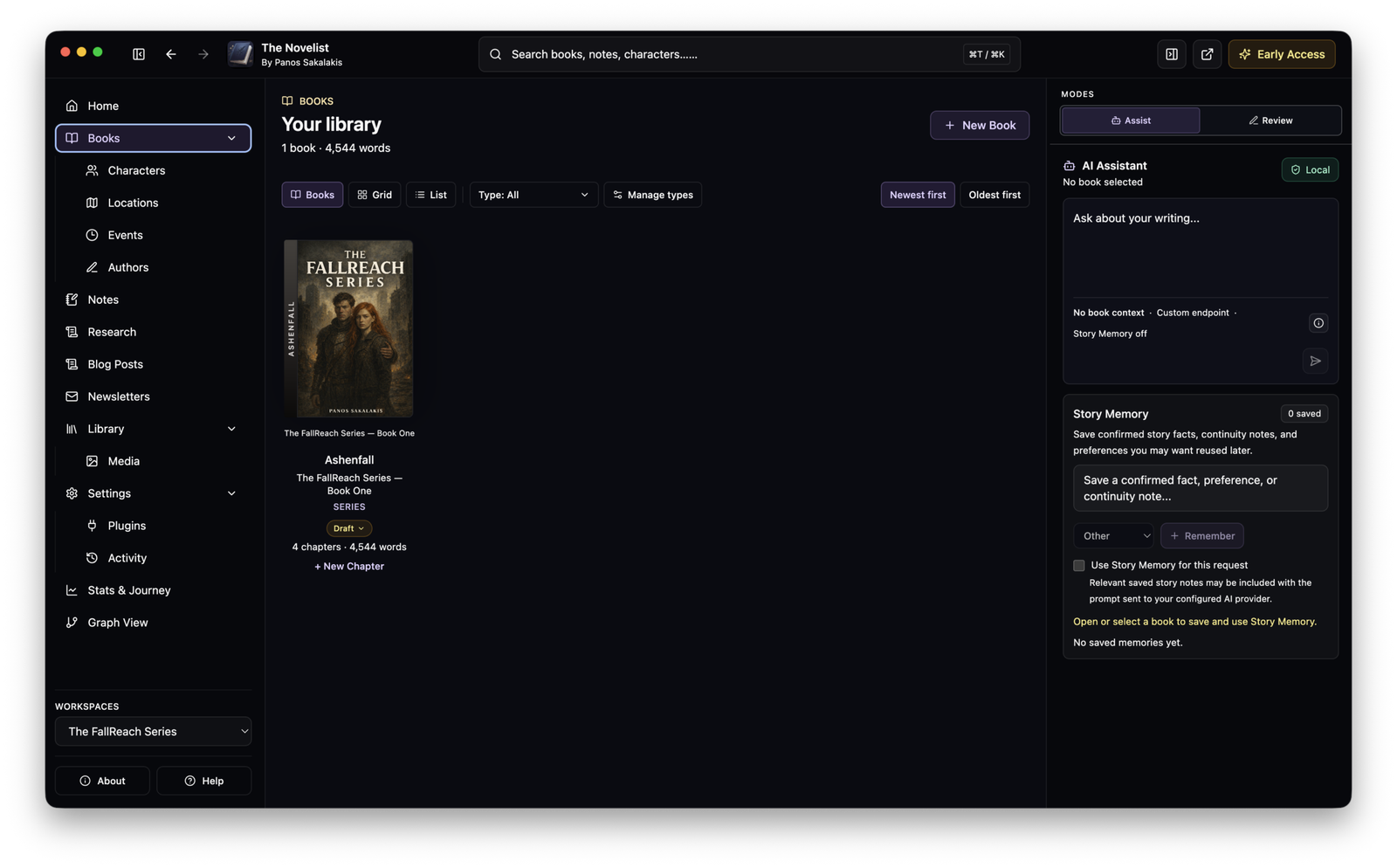
The part I would miss most if I moved back to a traditional word processor is the Story Bible integration. Characters, Locations, Events, Organizations and Secrets feel much more useful when they sit beside the actual manuscript rather than inside a completely separate application.
The @ linking system lets me connect material while writing, and there is also a Find Missing Connections feature for identifying places where information might need linking.
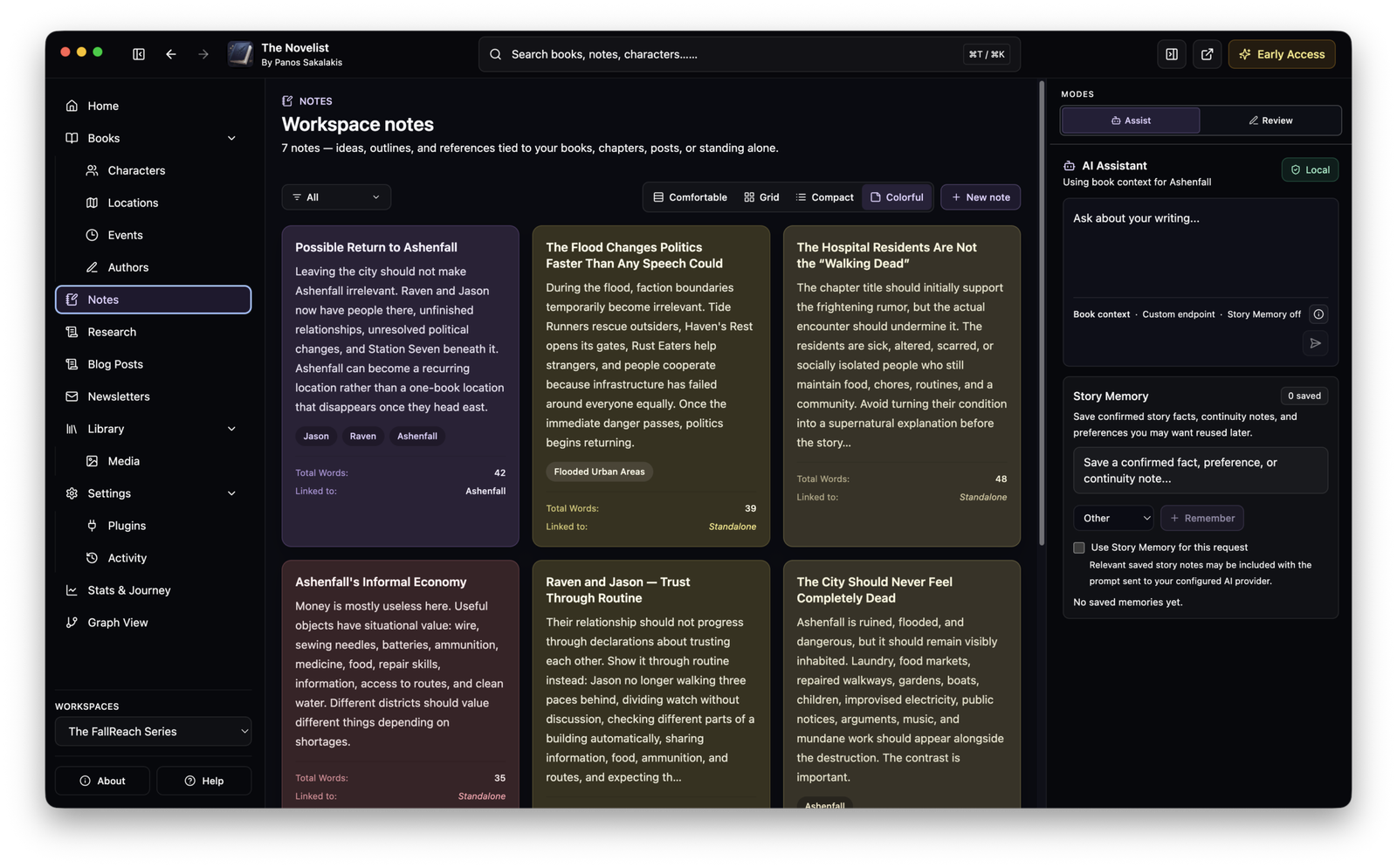
Notes have also become more useful than they were in the earlier builds. I can maintain the larger Notes section when I want to organize everything, but Chapter Notes are available from the right side while writing. This sounds like a minor feature until you’re revising a chapter and want to keep reminders visible without repeatedly navigating away from the manuscript.
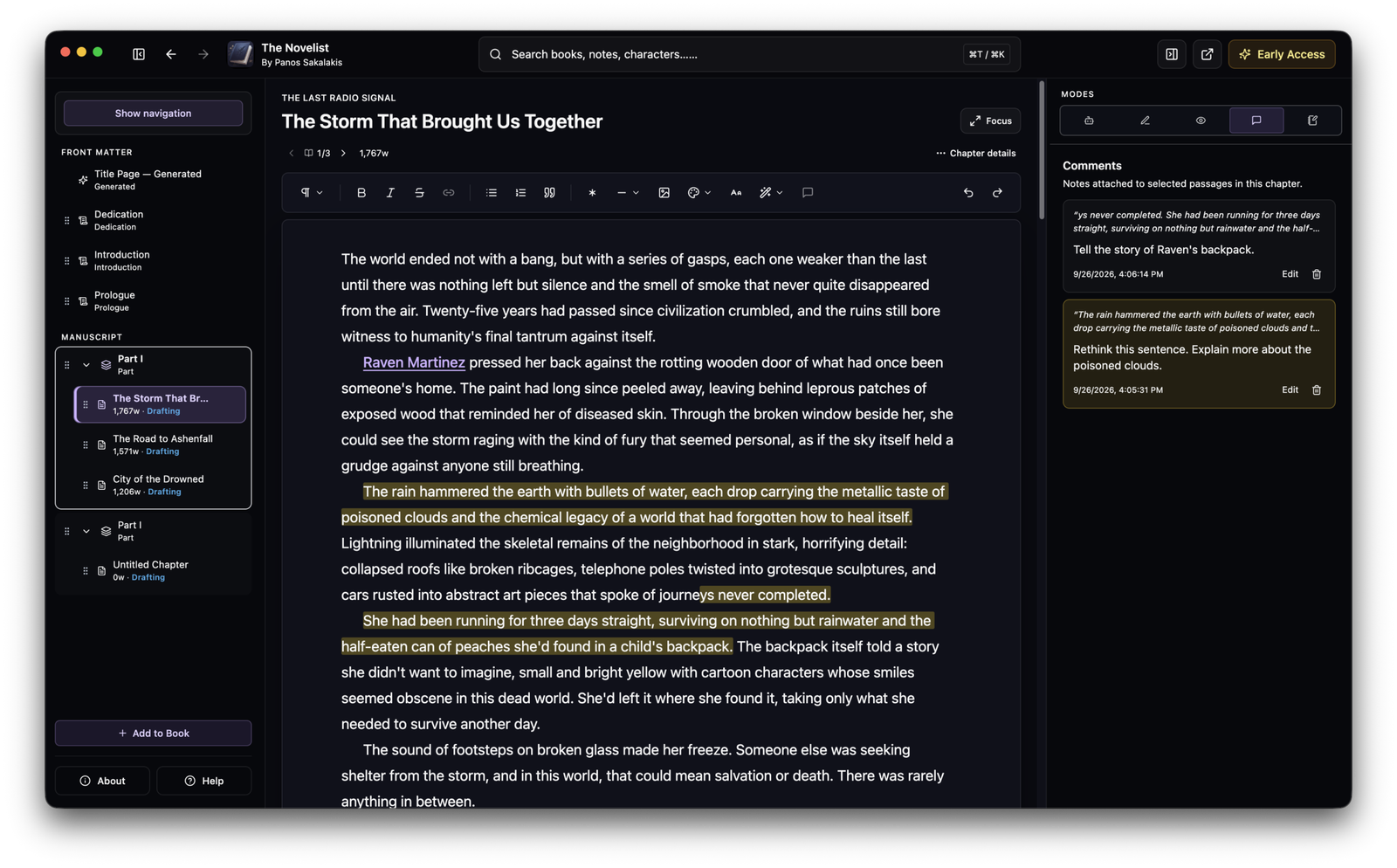
Comments work in a similar way. I can select text, leave myself a comment, and later jump back to that exact place from the Comments panel. I find this particularly useful during revision because comments can behave more like temporary editorial reminders while Notes are better suited to larger pieces of information.
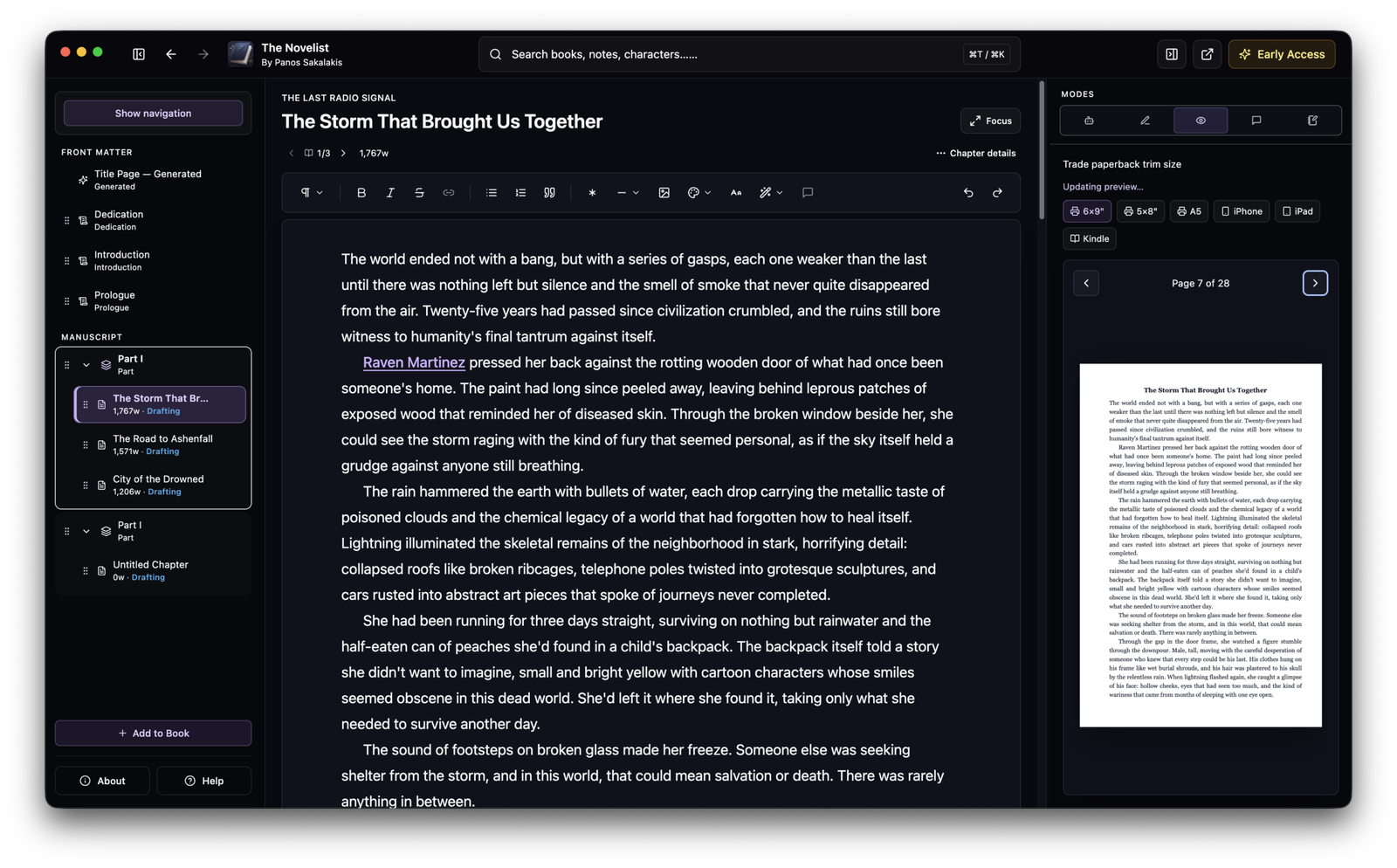
Another feature I like is the Book Previewer. It can show the manuscript using print-oriented dimensions as well as device-style previews. I wouldn’t replace a dedicated professional typesetting application with it yet, and the preview system remains one of the areas I want to continue improving, but being able to see roughly how a manuscript is forming without exporting it every five minutes is pretty useful.
Free vs. Pro
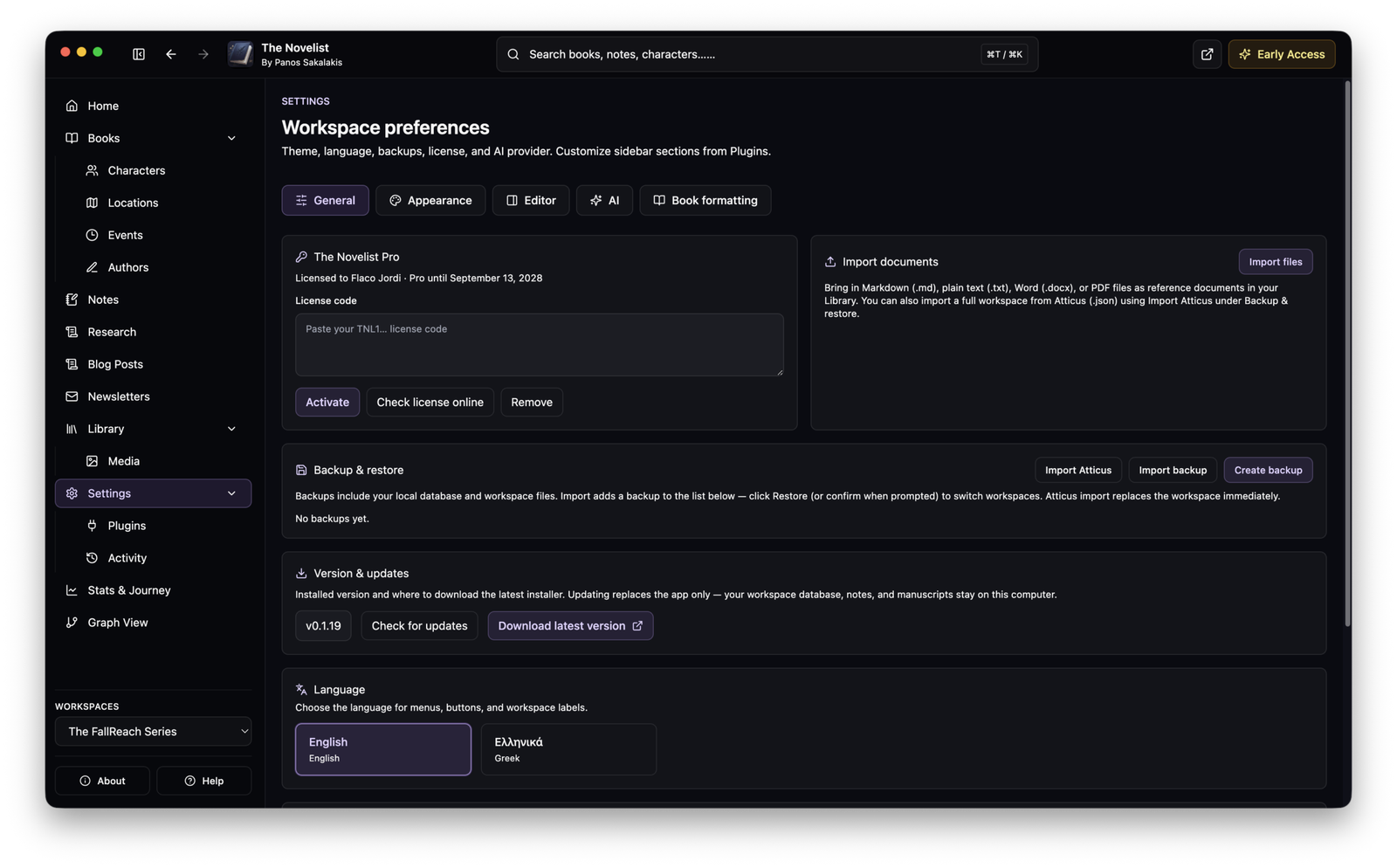
One decision I’m particularly happy with is that the Free version is not intended to be a barely functional demo. I dislike software where ninety percent of the interface exists mainly to show lock icons until I enter a credit card, so the fundamental writing and worldbuilding workflow remains available without Pro.
Here is the current split:
| Feature | Free | Pro |
|---|---|---|
| Books, Parts, Chapters and manuscript editor | ✅ | ✅ |
| Story Bible | ✅ | ✅ |
| Characters, Locations, Events, Organizations and Secrets | ✅ | ✅ |
| Notes and Comments | ✅ | ✅ |
| Book Previewer | ✅ | ✅ |
| Find Missing Connections | ✅ | ✅ |
| Basic writing statistics | ✅ | ✅ |
| Style Analyzer and local pacing tools | ✅ | ✅ |
| Base themes | ✅ | ✅ |
| DOCX export | ✅ | ✅ |
| Markdown export | ✅ | ✅ |
| Journey progress recorded in background | ✅ | ✅ |
| Full Stats & Author’s Journey interface | ❌ | ✅ |
| Earned/unlockable themes | ❌ | ✅ |
| Graph View | ❌ | ✅ |
| EPUB export | ❌ | ✅ |
| PDF export | ❌ | ✅ |
| HTML export | ❌ | ✅ |
| Grammar & Clarity | ❌ | ✅ |
| AI Assistant and generation | ❌ | ✅ |
| AI Manuscript Analysis | ❌ | ✅ |
| Ollama and LM Studio AI generation | ❌ | ✅ |
| Cloud AI providers | ❌ | ✅ |
I think that is a reasonable division. Someone who simply wants to write a novel, organize the Story Bible, maintain Notes, preview the manuscript and export it to Word or Markdown can stay on Free. Pro becomes more relevant when Graph View, deeper statistics, additional export formats and AI functionality become important.
At the time of writing, the Pro plan is €39.99 per year, billed annually. That works out to roughly €3.33 per month, although it is not billed monthly.
There are technically only two entitlement levels inside the application: Free and Pro. Early Access refers to the current stage of development rather than being a separate subscription tier.
The AI implementation is better than simply adding a ChatGPT button
I’ve become fairly tired of applications announcing that they now contain “AI” when what they actually added is one button that sends some text to a single API.
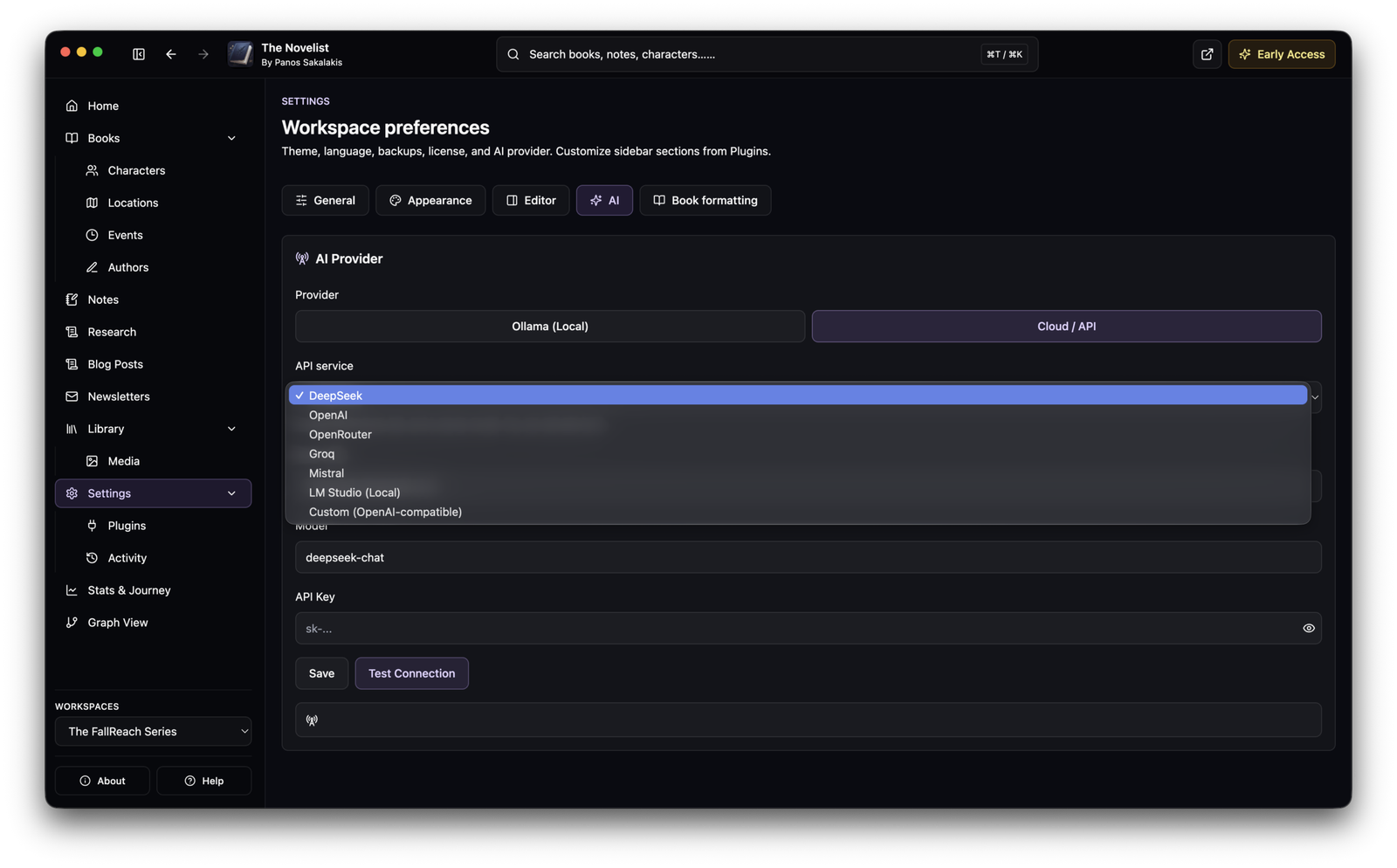
The Novelist takes a broader approach. Pro users can configure supported cloud providers such as OpenAI, DeepSeek, OpenRouter, Groq and Mistral, but they can also use local models through Ollama or LM Studio. There is support for compatible custom APIs as well.
I prefer this because the application is not permanently tied to one AI company. If I want speed and convenience, I can use a cloud provider. If I have capable enough hardware and prefer keeping requests local, I can run a model myself.
The AI functionality includes drafting and rewriting assistance as well as broader manuscript analysis, but this is also one of the areas where I would temper expectations. AI does not suddenly turn a mediocre draft into a great novel, and the usefulness of the results depends heavily on the selected model. I view these tools as assistants rather than as the point of the application.
More importantly, The Novelist remains perfectly usable with AI disabled.
The Stats, Journey and themes are more fun than I expected
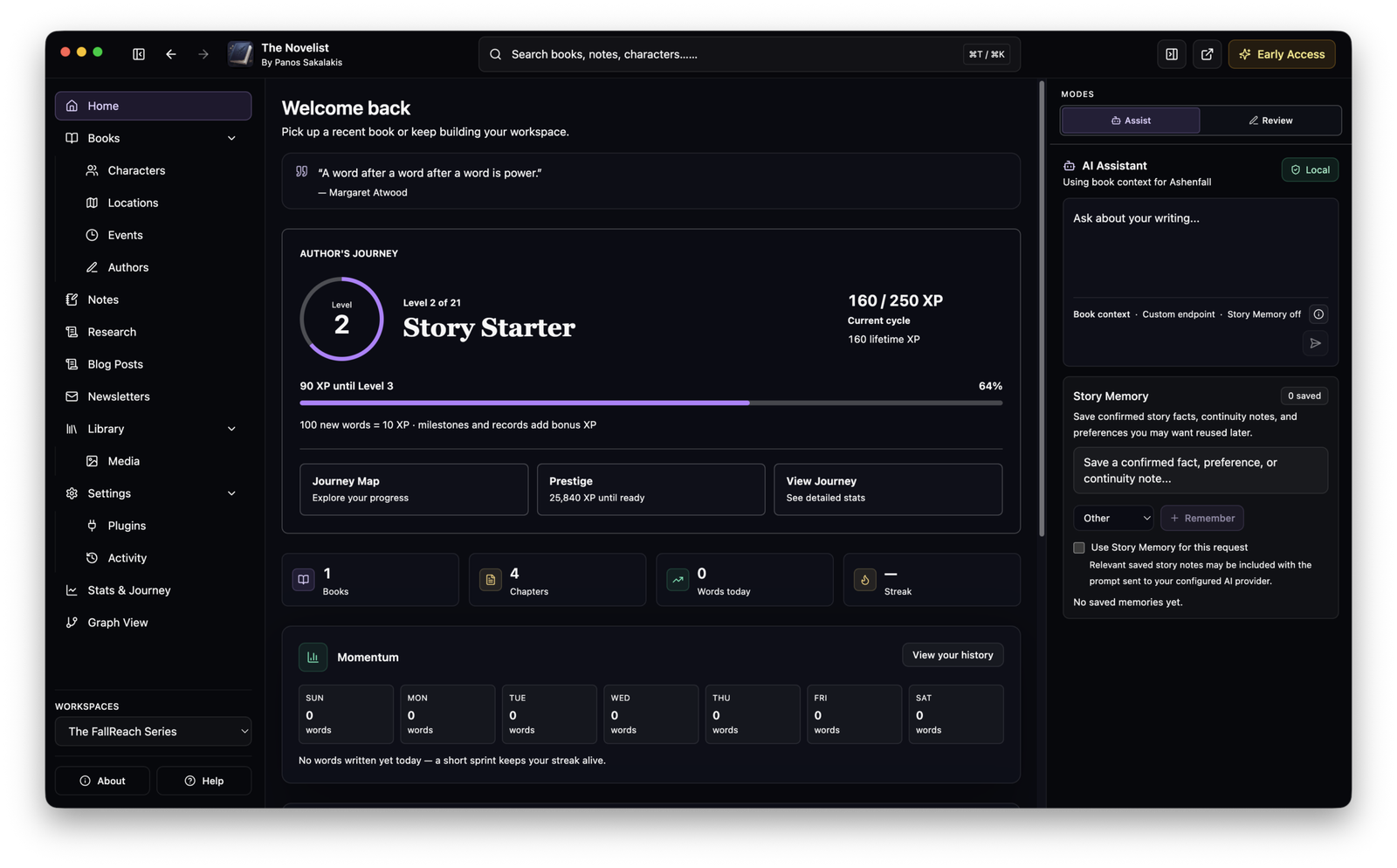
The application also contains something I originally considered a bit silly: an Author’s Journey system.
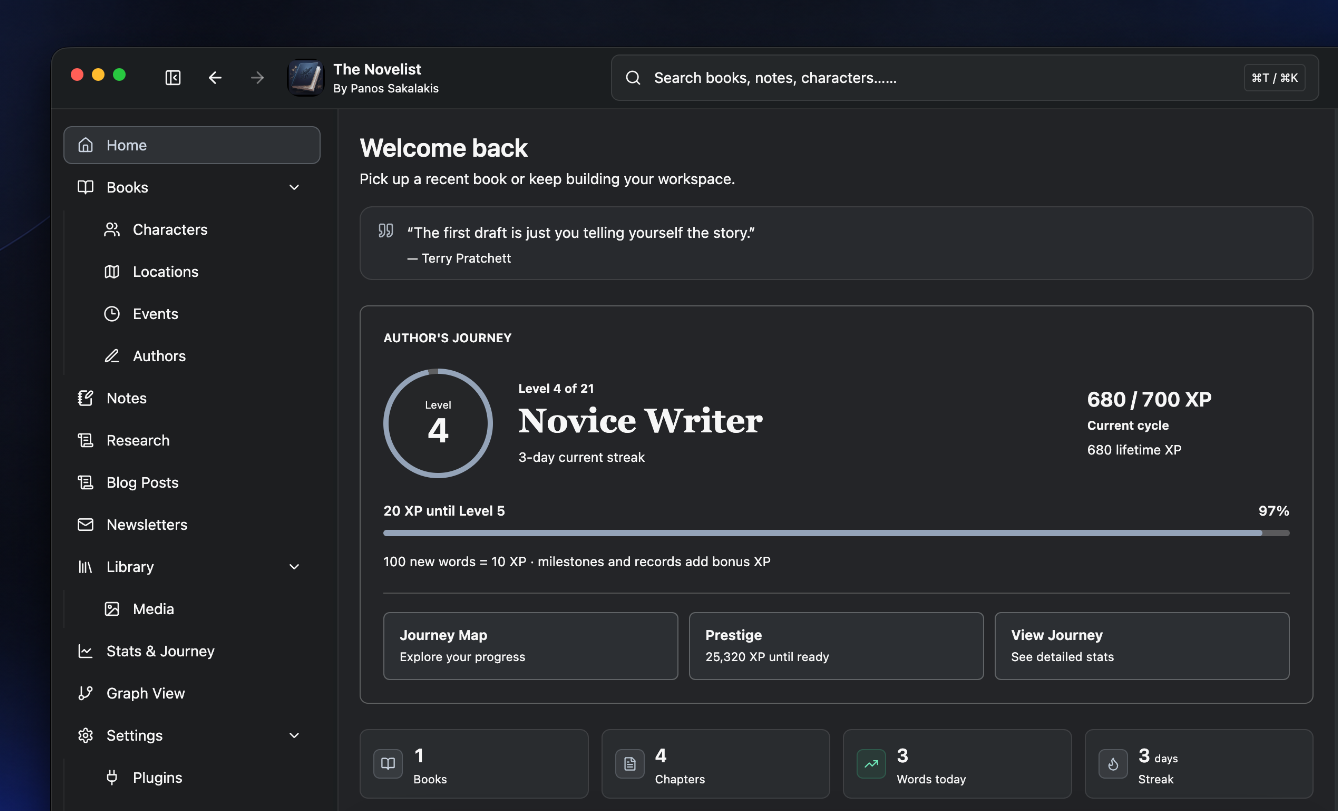
Writing progress accumulates as I work, and Pro exposes a larger Stats and Journey experience with levels, milestones, missions and unlockable themes. Free users still accumulate the underlying progress, so upgrading later doesn’t mean beginning from zero.
I wouldn’t buy writing software solely because it gives me levels for writing words, but I’ve found that a small amount of gamification can be surprisingly motivating when a manuscript has reached that miserable middle section where everything suddenly feels like work.
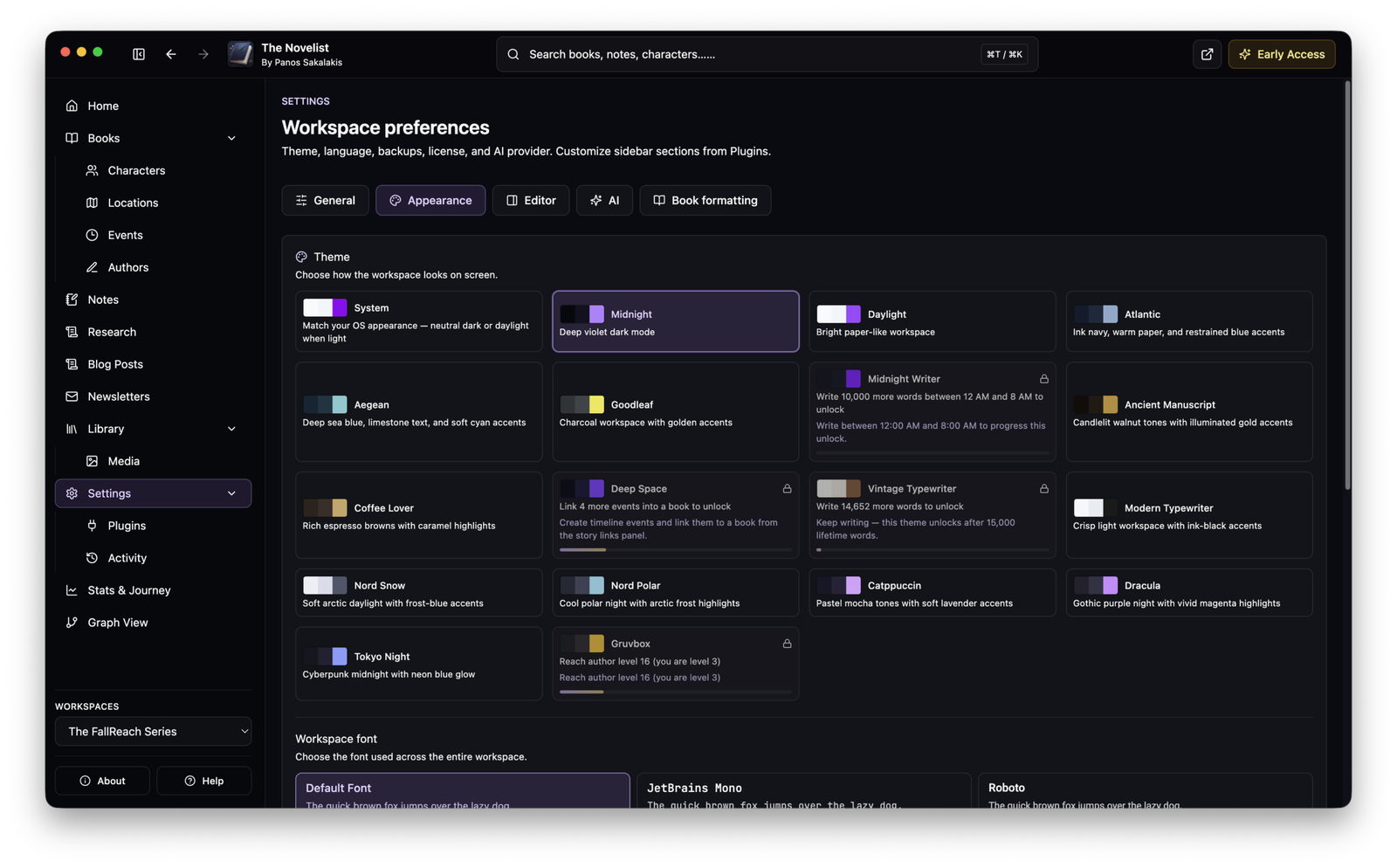
Themes are connected to that system as well. Several are immediately available, while others can be earned by reaching particular milestones. This is completely optional and has nothing to do with whether the editor works, but it adds a little personality to an application that I otherwise deliberately keep fairly restrained.
What I don’t like about the current version
This is where the Early Access label actually matters. The biggest weakness remains overall polish. Certain sections already feel mature, while others still clearly belong to a younger application. The editor, manuscript structure, Locations, Notes and several of the core workflows have improved enormously, but there are still UI decisions I expect to revisit as more people use them.
The Review tools are another example. Style Analysis, pacing, grammar and manuscript analysis all have potential, but I don’t think every result is currently explained as clearly as it should be. A writing tool should not simply tell me that my prose is “atmospheric” or “expansive” and assume I know exactly what that means. I want those features to become more educational and actionable over time.
The Book Previewer also needs continued refinement before I would tell someone to replace dedicated publishing software with it. Exporting works, and having PDF, EPUB, HTML, DOCX and Markdown available across the two tiers is useful, but The Novelist is still primarily a writing and worldbuilding environment rather than a final-production alternative to every specialist publishing application.
Then there is distribution. The current builds are not yet signed in the way mainstream commercial applications normally are, which means Windows and macOS can display intimidating security warnings during installation. That is probably the least elegant part of the current onboarding experience, particularly for writers who are not technical users.
Finally, there is no Linux build yet, and the current macOS release targets Apple Silicon. Those versions are on the roadmap, but they are not something I can review until they actually exist.
Installing The Novelist on Windows
Windows users may encounter two separate warnings. The first can happen before the installer even finishes downloading. Microsoft Edge and some other browsers may treat a new unsigned executable cautiously because it has not accumulated enough reputation yet.
If Edge blocks the download, open Downloads, click the three dots next to the installer and choose Keep. If Edge displays another warning, choose Show more and then Keep anyway.
After the installer has downloaded, Microsoft Defender SmartScreen may display another warning when it is opened. Click More info, followed by Run anyway, and continue with the installer normally.
I do not recommend disabling Microsoft Defender, SmartScreen or browser security globally just to install one application.
Windows currently supports automatic updates, so after installation future public releases can be delivered through the application’s updater.
Installing The Novelist on macOS
The current macOS build is designed for Apple Silicon Macs. Download the DMG, open it and move The Novelist into the Applications folder as you would with most manually distributed Mac applications.
Because the current build is not yet notarized with an Apple Developer ID, macOS can refuse the first launch. Try opening the application once, then go to System Settings → Privacy & Security. Scroll to the Security section, locate the warning related to The Novelist, choose Open Anyway, and confirm that you want to open it.
There is no need to disable Gatekeeper globally.
macOS updates are currently manual, so when a new version is released, I need to download the latest DMG and replace the previous application. My workspace and manuscripts are stored separately from the application bundle.
What’s on the roadmap?
My immediate priority is not adding another hundred features just so the website can have a longer bullet list. The application already has enough moving pieces that stability matters considerably more to me now.
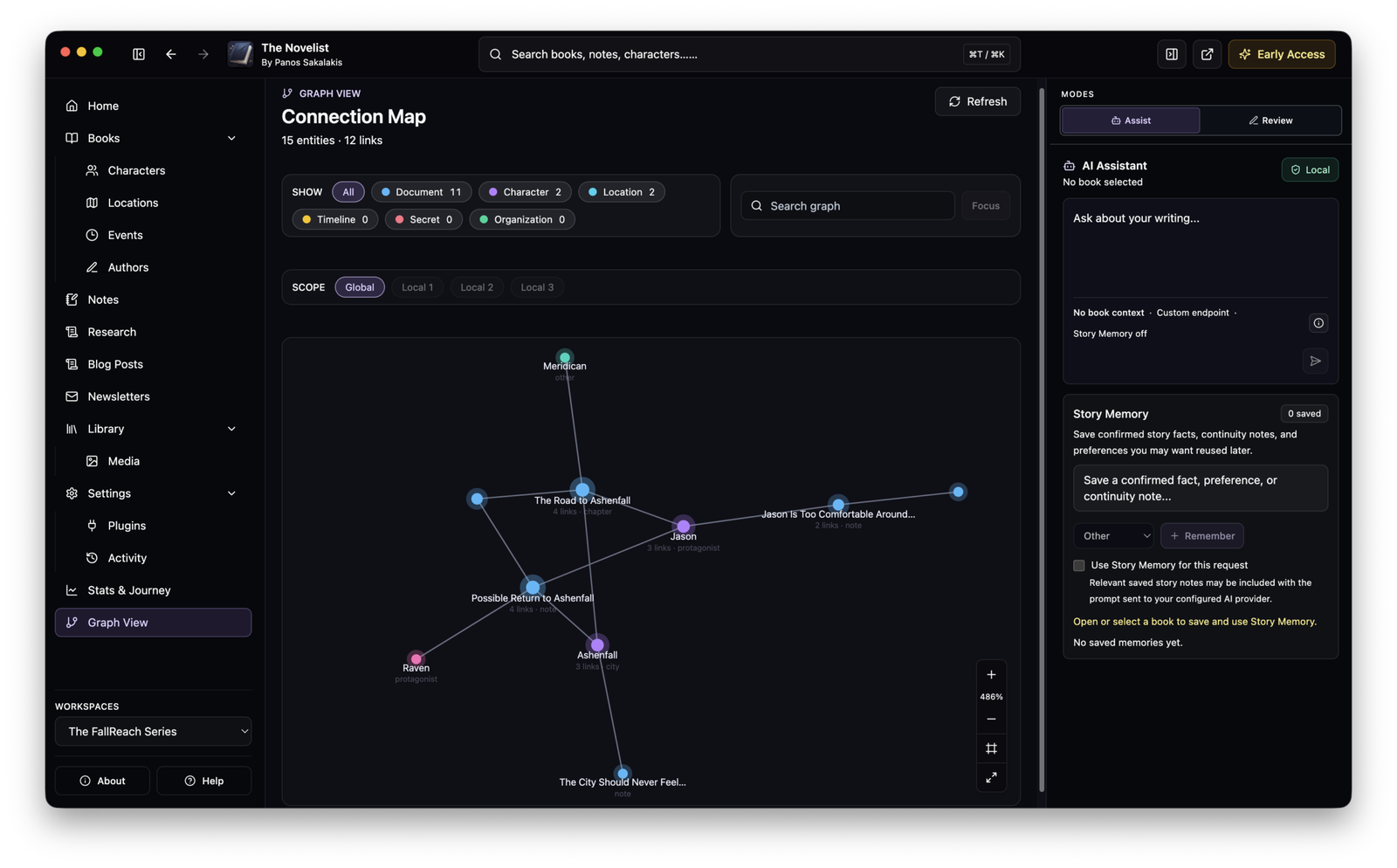
The Linux version remains one of the larger outstanding platform goals, along with support for Intel-based Macs. The editor, Story Bible, automatic connections, Graph View, AI tooling, Stats, Author’s Journey, customization, backup and recovery systems will continue receiving improvements rather than being treated as finished simply because they have shipped.
Exporting and manuscript presentation are another long-term area I want to improve. I want the path between the first draft and a manuscript that can actually leave the application to become smoother, but I don’t want to pretend The Novelist is already a complete replacement for dedicated formatting and publishing tools.
I’m also interested in opening parts of the ecosystem in the future so other developers can create things such as plugins, themes or integrations without requiring me to personally build every idea. That does not mean the whole application is becoming open source; the intention is to eventually expose the parts where an extension ecosystem genuinely makes sense.
The exact order will depend heavily on Early Access feedback. I would rather spend a week fixing something that annoys fifty writers every day than spend that week adding something nobody asked for.
My final rating
If The Novelist belonged to another developer and I downloaded v0.1.20 today, 4.1 out of 5 is where I would currently put it.
I would give it high marks for the local-first architecture, the way writing and worldbuilding fit together, the surprisingly capable Free version, the Story Bible, Notes and connections, and the flexibility of allowing both cloud and local AI.
I would take points away because it is still visibly Early Access. The installation experience is not ideal while the builds remain unsigned, parts of the interface need more polish, some analysis features need clearer explanations, macOS updating is still manual, and several platform and publishing features remain unfinished.
I would not recommend it to somebody who wants a completely finished publishing suite with years of refinement behind it. Scrivener, Atticus, Vellum and other established applications have had far more time to mature.
I would recommend trying it, however, to fiction writers and worldbuilders who like the idea of keeping their manuscript, characters, locations, events, research and notes connected in one desktop workspace without putting the entire project into somebody else’s cloud.
And because the core version is free, there isn’t much reason to take my word for it anyway. Download it, create a project, throw a few chapters and an unnecessarily complicated fictional universe at it, and decide whether the workflow makes sense to you. That is more useful than any rating I can give my own software.
The Novelist Review: Is this writing and worldbuilding app worth it?
Almost two years into the making, and The Novelist already offers a bunch of great writing and worldbuilding features – but are they enough?
Price Currency: EUR
Operating System: Windows 10, Windows 11, macOS 12 Monterey or later
Application Category: UtilitiesApplication
4.1
Pros
- Local-first manuscript and project storage
- Excellent integration between writing and worldbuilding
- Generous Free version
- Strong Story Bible and entity linking
- Supports both local and cloud AI
- Useful Notes, Comments and Book Previewer
- DOCX and Markdown export included with Free
- Backup and recovery tools
Cons
- Still in Early Access
- Installers are not yet fully signed/notarized
- macOS updates are currently manual
- Linux version is not available yet
- Current macOS build is Apple Silicon only
- Some analysis tools need clearer explanations
- Book Previewer still needs refinement
- No built-in cloud synchronization
How to download The Novelist
The safest place to download the application is the official website or Gumroad:
DO NOT download installers from mirrors or unofficial download sites, especially while the application is still unsigned.
Frequently asked questions
The Novelist is a desktop writing and worldbuilding application designed primarily for fiction authors. It combines manuscript writing, Parts and Chapters, Characters, Locations, Events, Organizations, Secrets, Notes, Comments, research, connections, statistics, exports, and optional AI tools inside one application.
Yes. The Novelist has a Free version that includes the core writing and worldbuilding experience. You can write books, organize Chapters and Parts, create Story Bible entities, use Notes and Comments, preview your manuscript, access basic writing statistics, and export to Word and Markdown without purchasing Pro.
Pro unlocks advanced features including Graph View, the full Stats & Journey experience, earned themes, EPUB/PDF/HTML exporting, Grammar & Clarity, AI Manuscript Analysis, and AI generation through supported local and cloud providers.
The current Pro plan costs €39.99 per year, billed annually.
No. There are only two entitlement levels: Free and Pro. Early Access describes the current development stage of The Novelist; it is not a third subscription tier.
Your books and project data remain yours. Cancelling or not renewing Pro does not delete your manuscripts, Characters, Locations, Notes, or other locally stored content. Features that require Pro simply return to their Free-tier availability.
Your manuscripts and worldbuilding data are stored locally on your computer. The Novelist does not require you to upload your books to its servers in order to write or organize your projects.
Not currently. The Novelist is deliberately local-first. You can create backups and store those backups wherever you choose, including an external drive, NAS, another computer, or a cloud storage service you trust.
Absolutely, especially while The Novelist is in Early Access. The app includes backup and restore functionality, but you should ideally keep at least one additional backup somewhere other than the computer containing your main library.
No. Your manuscripts, Chapters, Character descriptions, Locations, Notes, Research, comments, and other project content are not collected by The Novelist as product analytics or uploaded to The Novelist’s own servers.
The app includes optional anonymous product analytics, which are disabled by default. You can enable or disable them at any time under Settings → Privacy.
When enabled, analytics can record things such as which feature was opened or whether an operation completed successfully, along with limited technical information such as app version, operating system and locale. Your manuscript content and project names are not included.
Not for normal writing and worldbuilding. Core features such as the editor, Story Bible, Notes, Book Previewer, basic statistics and other local functionality can work without an internet connection.
Internet access is required for things such as downloading updates, occasional online Pro license verification, and cloud-based AI providers.
No. AI is optional, and The Novelist remains a writing and worldbuilding application without it. AI-related sections can also be disabled if you do not intend to use them.
The Novelist currently supports cloud providers including OpenAI, DeepSeek, OpenRouter, Groq and Mistral, along with compatible custom APIs.
For local AI, you can use Ollama or LM Studio.
Yes. If you use a model running locally through Ollama or LM Studio, The Novelist can use that model without sending the requested writing to a cloud AI provider.
Cloud providers require the content needed for a request to be sent to that provider under its own privacy terms.
The Novelist itself does not require a dedicated GPU for normal writing and worldbuilding, but local AI models have their own hardware requirements. A small model may work on relatively modest hardware, while larger models can require significant RAM or GPU memory.
Yes. The Story Bible is designed to let you build Characters, Locations, Events, Organizations, Secrets and other worldbuilding information while connecting those entities to your writing where appropriate.
Yes. Locations support hierarchy. For example, you can create a planet, place a country inside it, add a city inside that country, and then add districts, buildings or landmarks beneath the city.
Yes. The Novelist includes entity linking, including @ mentions, so you can connect manuscript content to Characters, Locations and other supported entities.
Yes. Chapter Notes can be accessed directly from the right sidebar while writing, so you do not have to leave the Chapter every time you want to check or add a note.
Yes. You can select text in the editor, add a comment, and manage comments from the right sidebar. Clicking an existing comment can take you back to the relevant part of the manuscript.
Yes. Writing Mode focuses the interface around the current book and manuscript structure, and Focus mode can hide additional interface elements when you want a cleaner writing environment.
Yes. The Book Previewer can display your manuscript in several layouts, including print-oriented sizes and device-style previews. It is intended as a useful writing and previewing tool rather than a replacement for professional typesetting software.
Free users can export to: Microsoft Word (.docx) & Markdown (.md).
Pro adds: EPUB, PDF, HTML. Pro users can also use the Free DOCX and Markdown formats.
No. Graph View is currently a Pro feature. It provides a visual representation of connections between entities and documents in your project.
The Free version includes basic writing statistics. The complete Stats & Journey experience is a Pro feature. Writing progress still accumulates while using Free, so users who later upgrade do not have to begin their Journey progress from zero.
Several base themes are available to Free users. Additional earned themes are part of the Pro experience and can be unlocked by completing writing-related milestones.
The Novelist includes native spellchecking and writing-analysis tools. The more advanced Grammar & Clarity functionality is currently a Pro feature.
Grammarly Desktop currently works alongside The Novelist in supported environments based on testing, although Grammarly is a third-party product and its behavior may change independently of The Novelist.
The current public macOS build targets Apple Silicon. Intel Mac support is planned but is not part of the current release.
Not yet. A Linux version is on the roadmap.
The current Early Access Windows installer is not yet digitally signed, so Microsoft Defender SmartScreen and browsers such as Microsoft Edge may warn you about the installer.
If Edge stops the download, you may need to open Downloads, click the three dots, choose Keep, and then Keep anyway.
When launching the installer, Windows may also require More info → Run anyway.
You should only install The Novelist from the official website or official Gumroad page.
he current Early Access macOS build is not yet notarized with an Apple Developer ID. After attempting to open the app, go to System Settings → Privacy & Security, find the blocked application notice, and select Open Anyway. You do not need to disable Gatekeeper globally.
Windows: Yes. Public Windows releases support automatic updating.
macOS: Updates are currently manual. Download the latest DMG and replace the previous application. Your library and manuscripts are stored separately from the application itself.
Normal application updates should not delete your library. The app includes workspace discovery, recovery and backup safeguards specifically intended to avoid silently replacing an existing library with an empty one. Even with those protections, keeping regular backups is strongly recommended during Early Access.
Yes. Several parts of The Novelist can be enabled or disabled so the interface can better match your workflow. This includes things such as AI functionality and various editor/sidebar tools.
No. It is designed primarily around novelists and fiction worldbuilding, but there is nothing preventing you from using its writing, Notes, research and organizational tools for other types of projects.
Official website:
https://panossakalakis.com/the-novelist/
The Novelist on Gumroad:
https://sakalakis.gumroad.com/l/the-novelist/
Early Access feedback is encouraged. If something breaks, feels confusing, takes too many clicks, or you think an important feature is missing, you can contact Panos.
You do not need to provide a technical report. A description of what happened, what you expected to happen, and a screenshot when relevant is usually enough.